Restaurant system · Turkmenistan
sahypa.menu
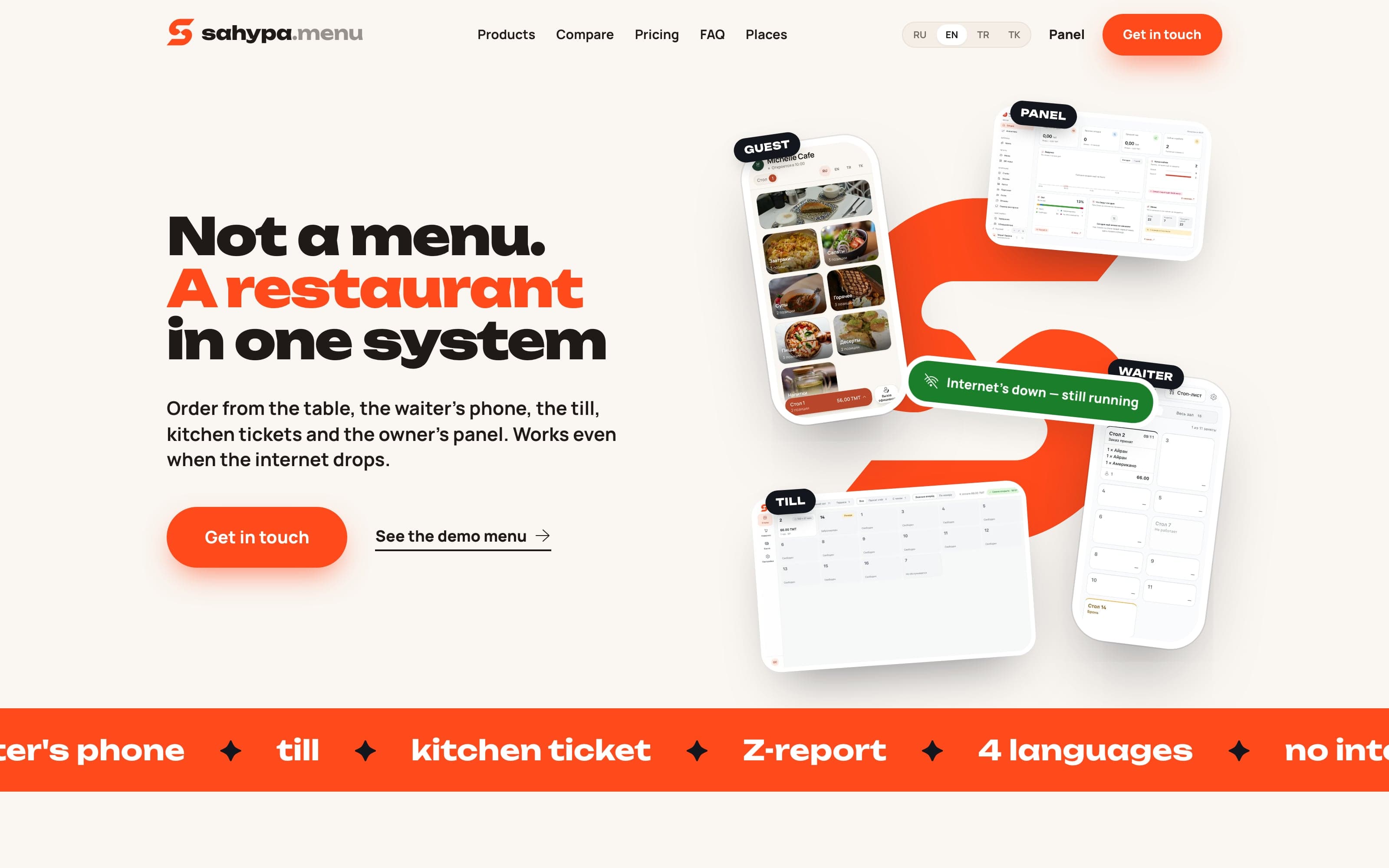
A whole restaurant in one system — the guest’s table, the waiter’s phone, the till, the owner’s panel, and a server in the room that keeps the shift going when the internet drops
Product design · Full-stack build · Desktop app · Restaurant tech
The brief
One system instead of a zoo of apps
A restaurant in Ashgabat usually runs on a zoo: a QR menu from one vendor, a till from another, orders carried to the kitchen by hand, and the day’s takings added up in a notebook.
Every one of them stops when the internet does, and here it does — the provider drops, a storm passes, somebody reboots the router in the middle of a Friday.
So we built the whole restaurant as one system: the guest’s table, the waiter’s phone, the till, the owner’s panel, and a server in the room that keeps the floor working on its own.
The system
Five products, one system
Each wears the colour its own front page gives it. Point at one to see who holds it and what it runs on.
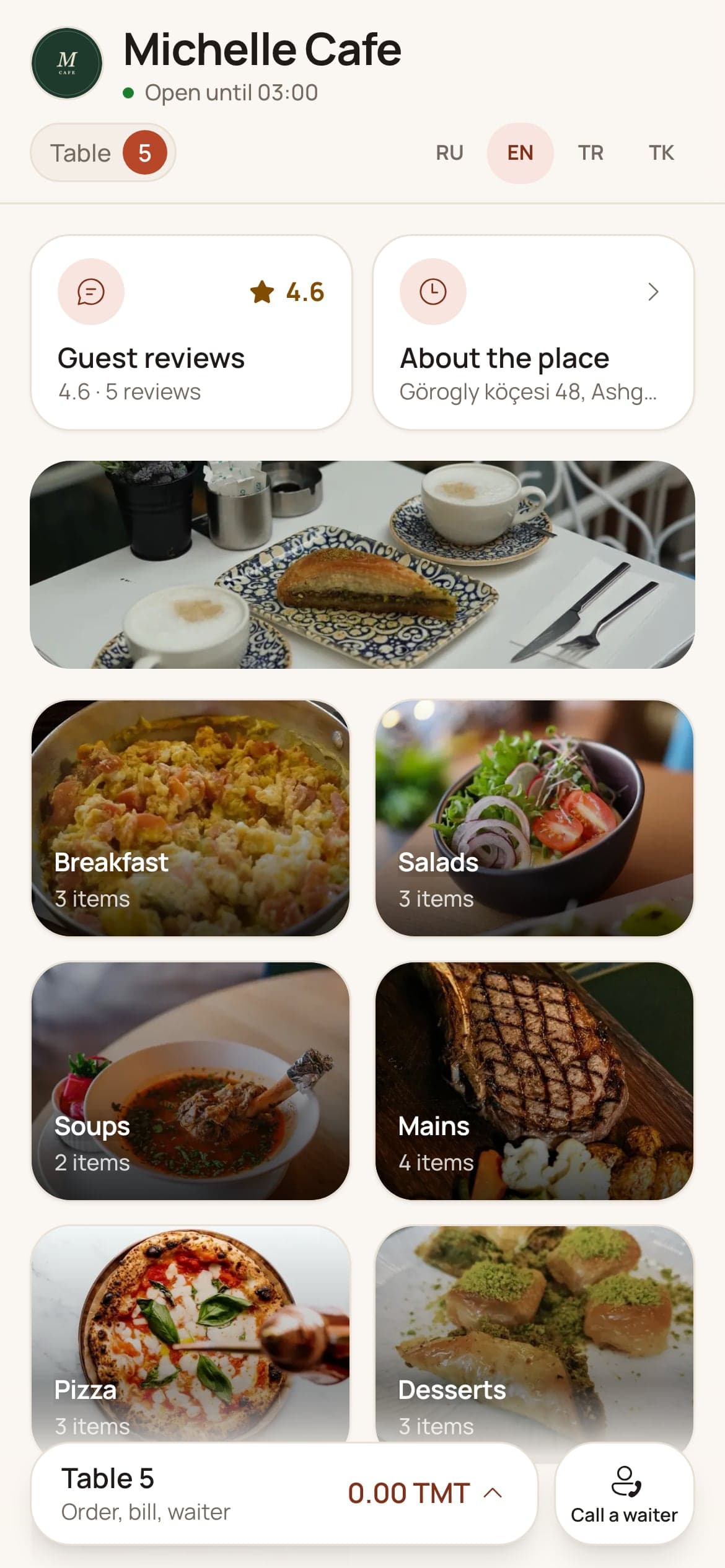
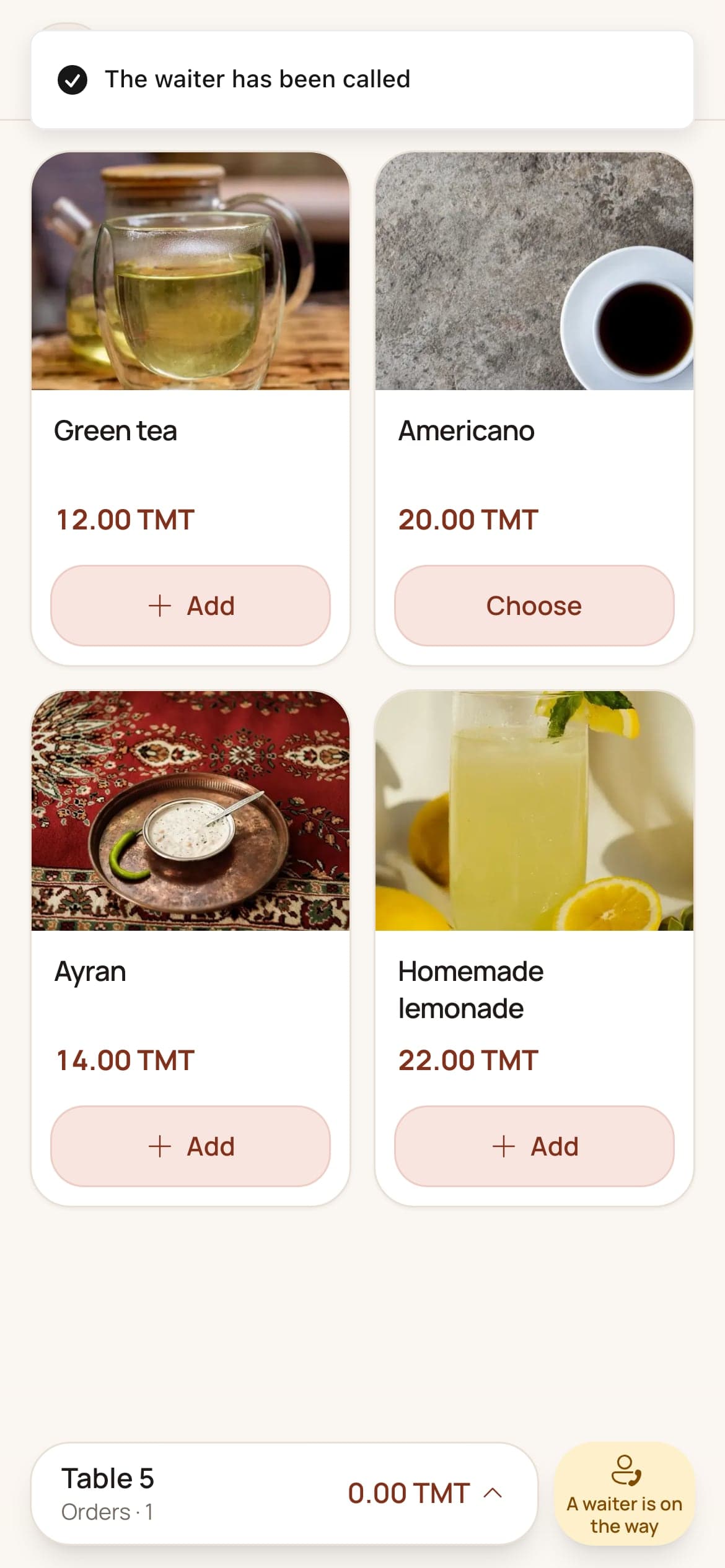
A camera on the code at the table opens the menu in the browser. Nothing to install, nobody to sign up — and one order for the whole table, from as many phones as sit at it.
Next on the same core is sahypa.delivery, under the same subscription — and behind all of them sits a platform panel of our own, where restaurants are brought on, looked after, and switched off and back on without losing a thing.
The path of one order
Nobody rewrites anything
One order crosses the whole system on its own. Scroll it along.
01
The guest orders from the table
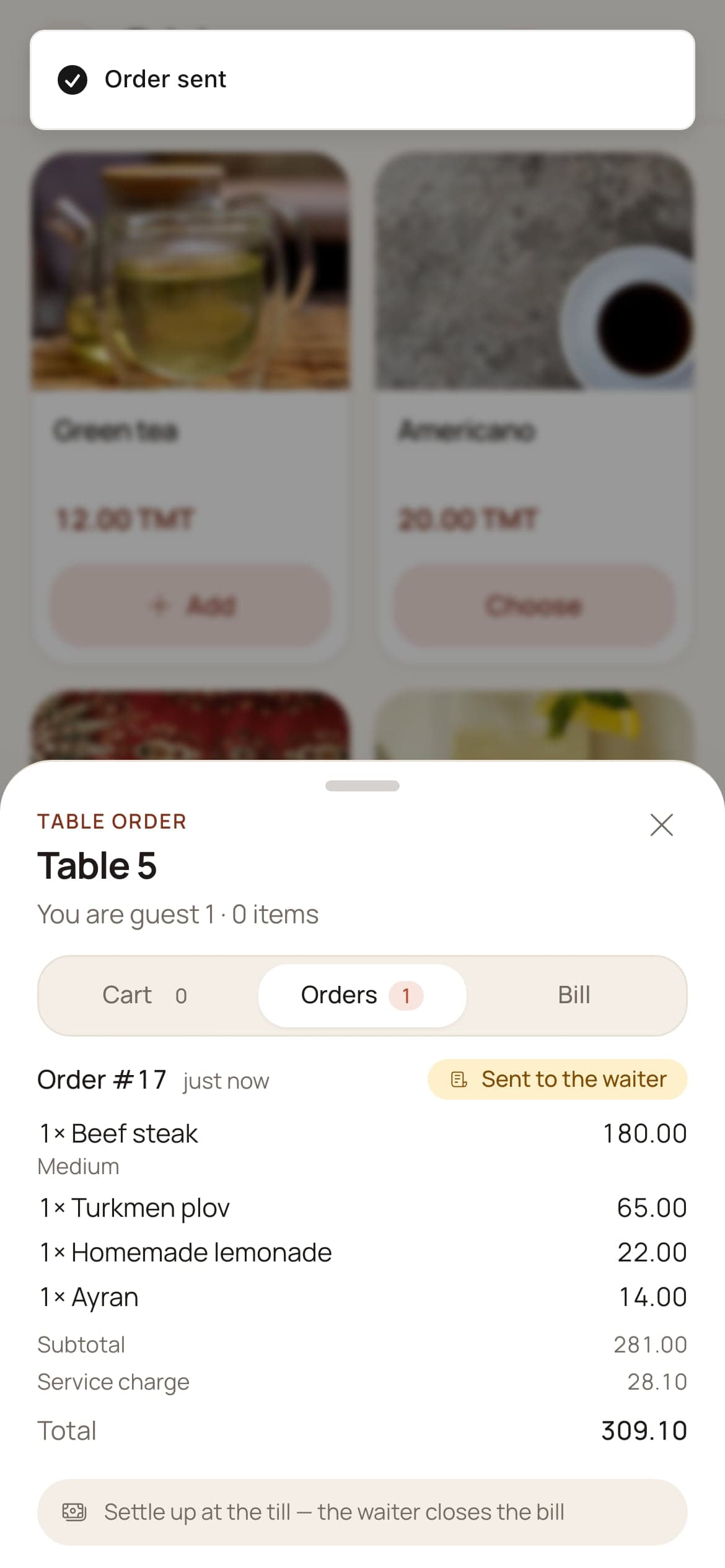
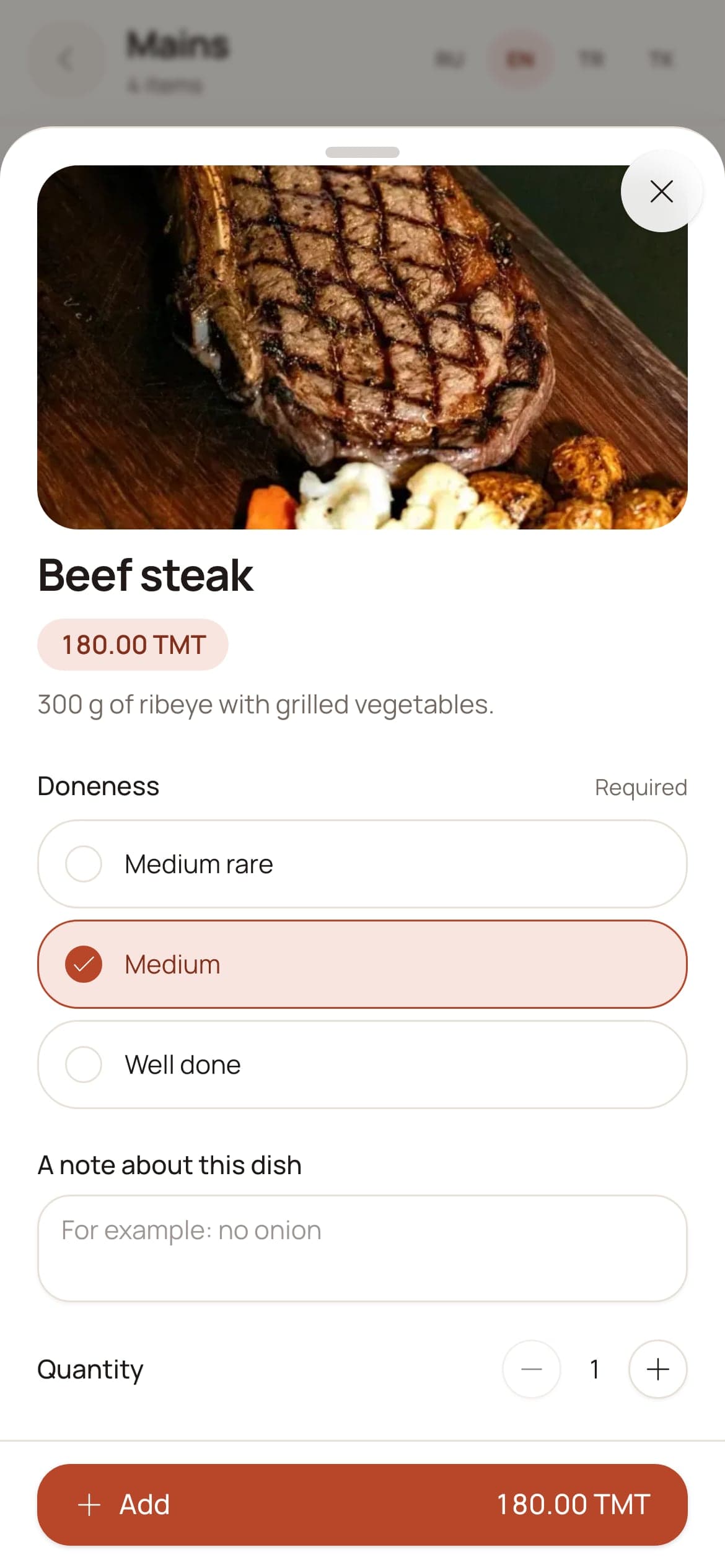
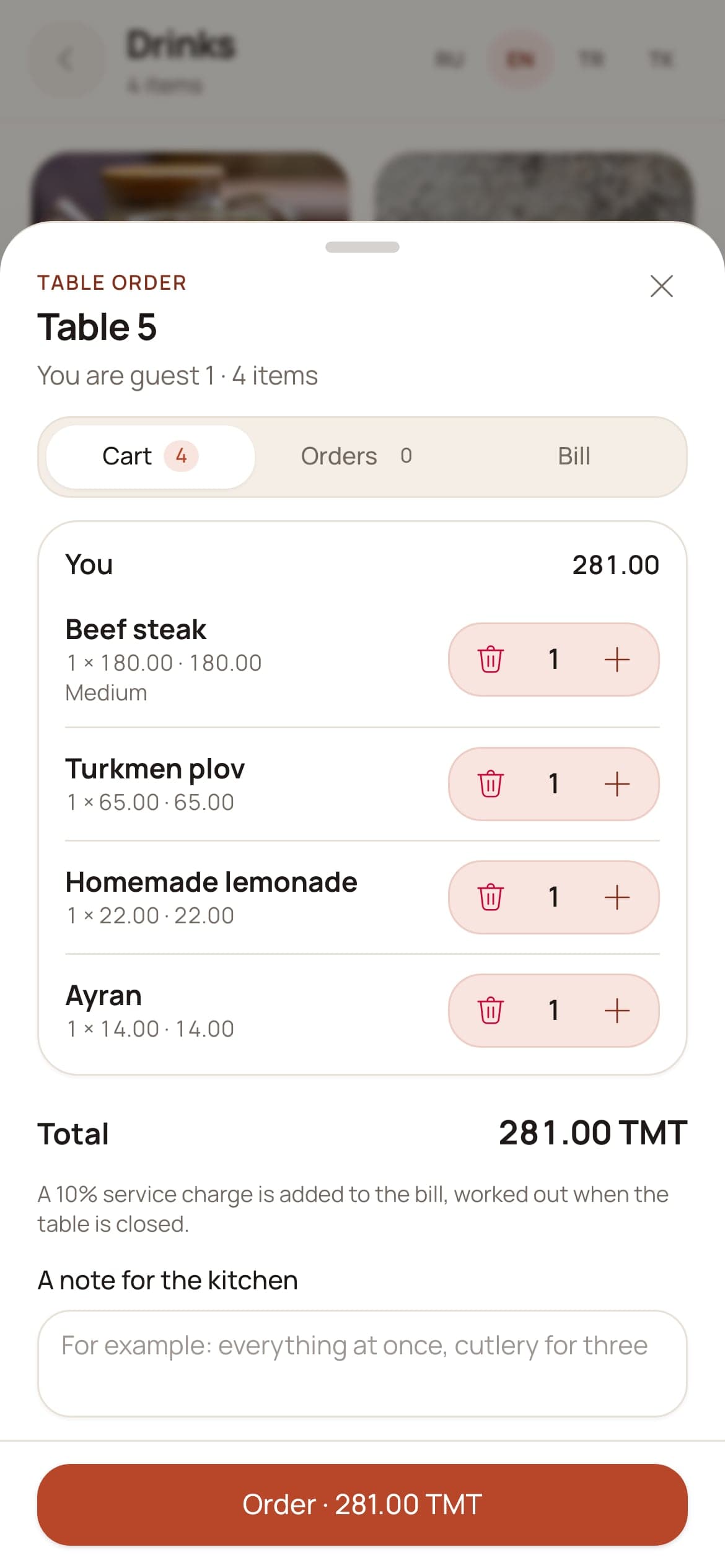
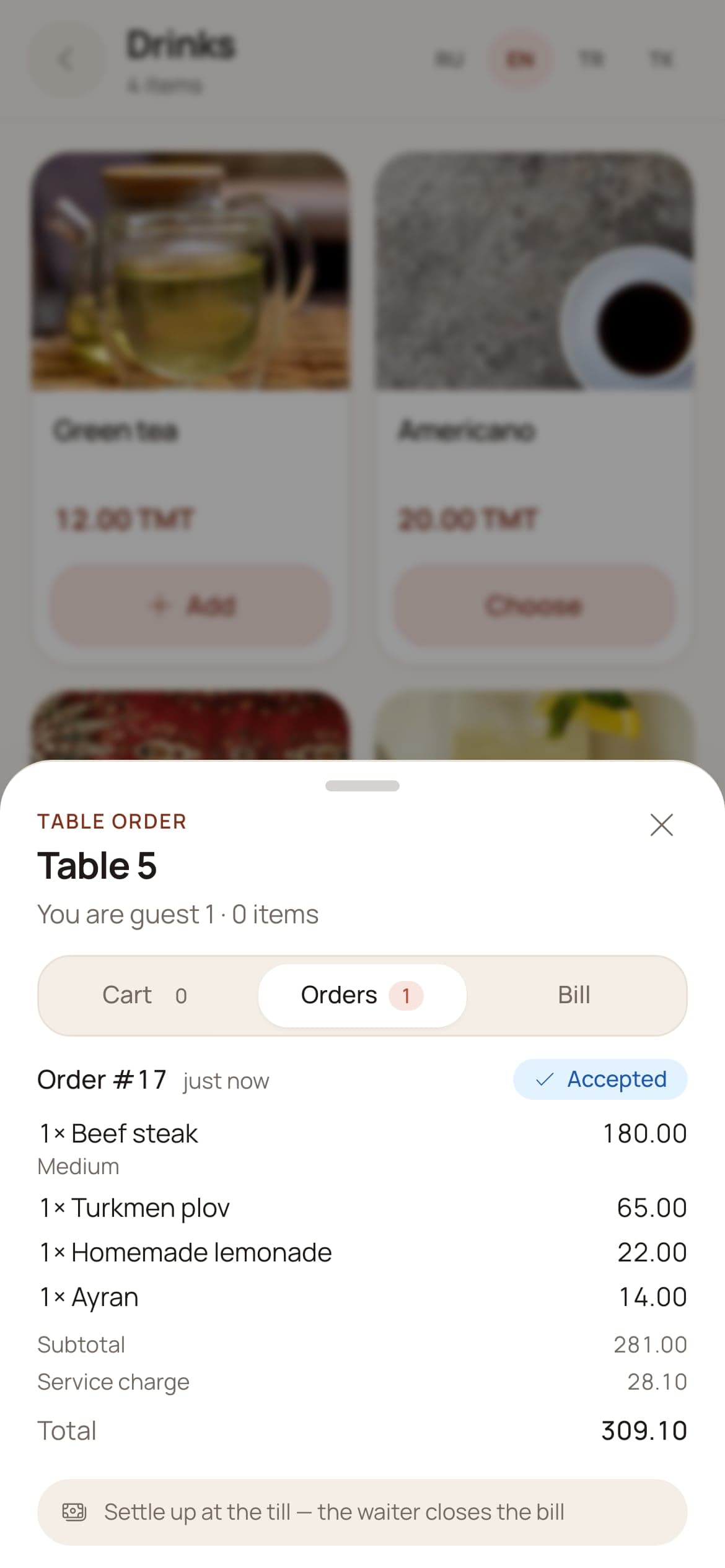
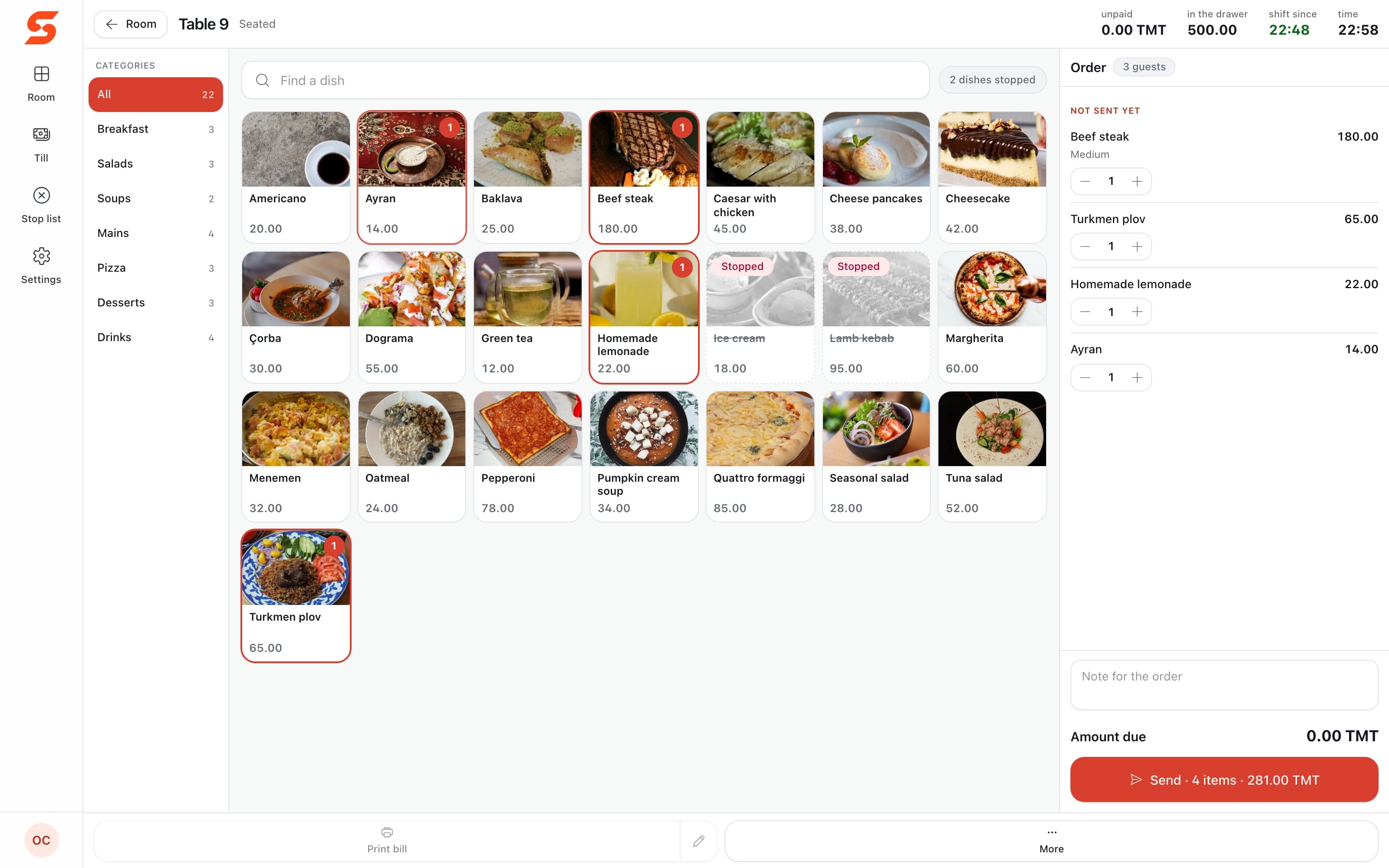
A steak, plov, a lemonade and an ayran leave the guest’s own phone as order #17 — with the service charge worked out before anyone asks.
02
The waiter accepts it
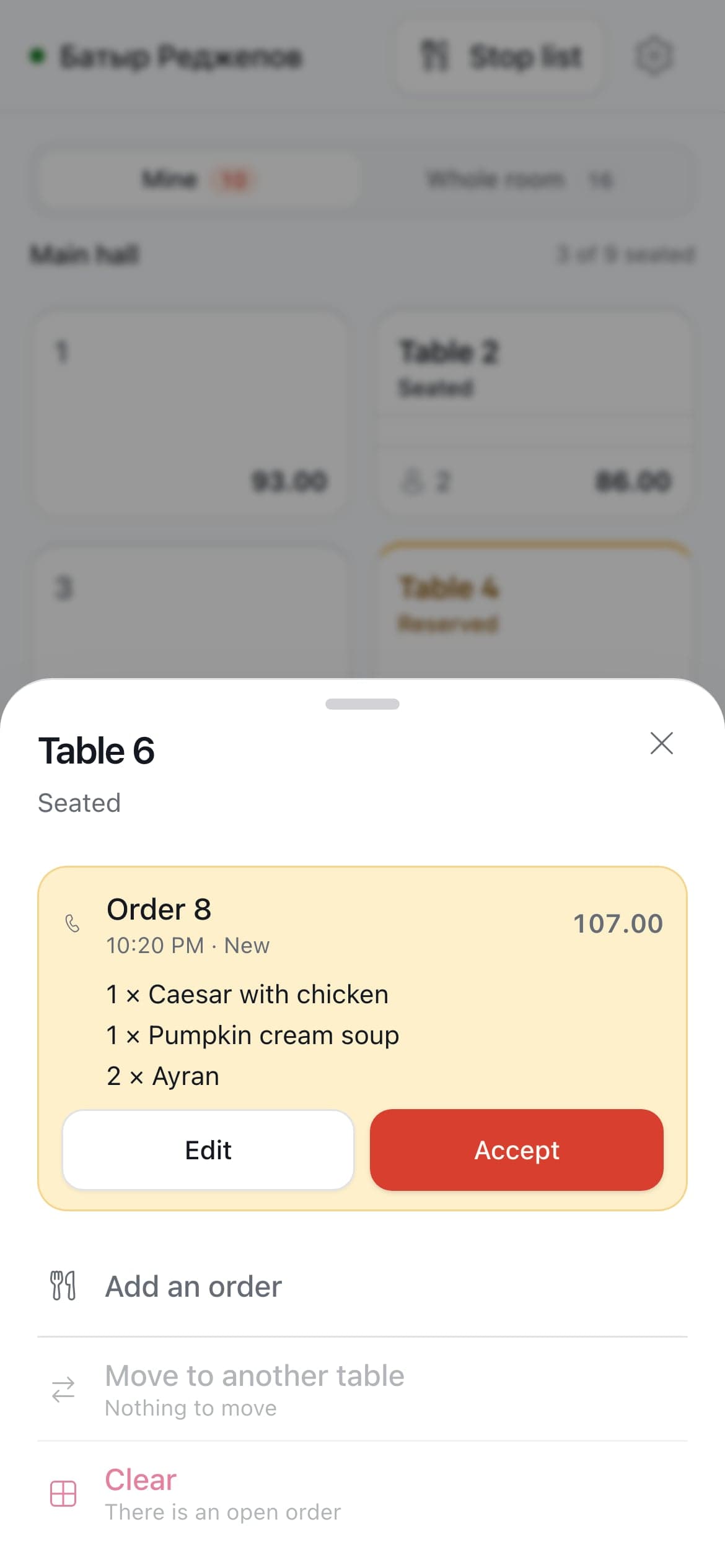
It lands on the waiter’s phone with its own ring. One tap checks it and accepts it; a guest’s order is not fired until somebody on the floor has.
03
The kitchen gets its ticket
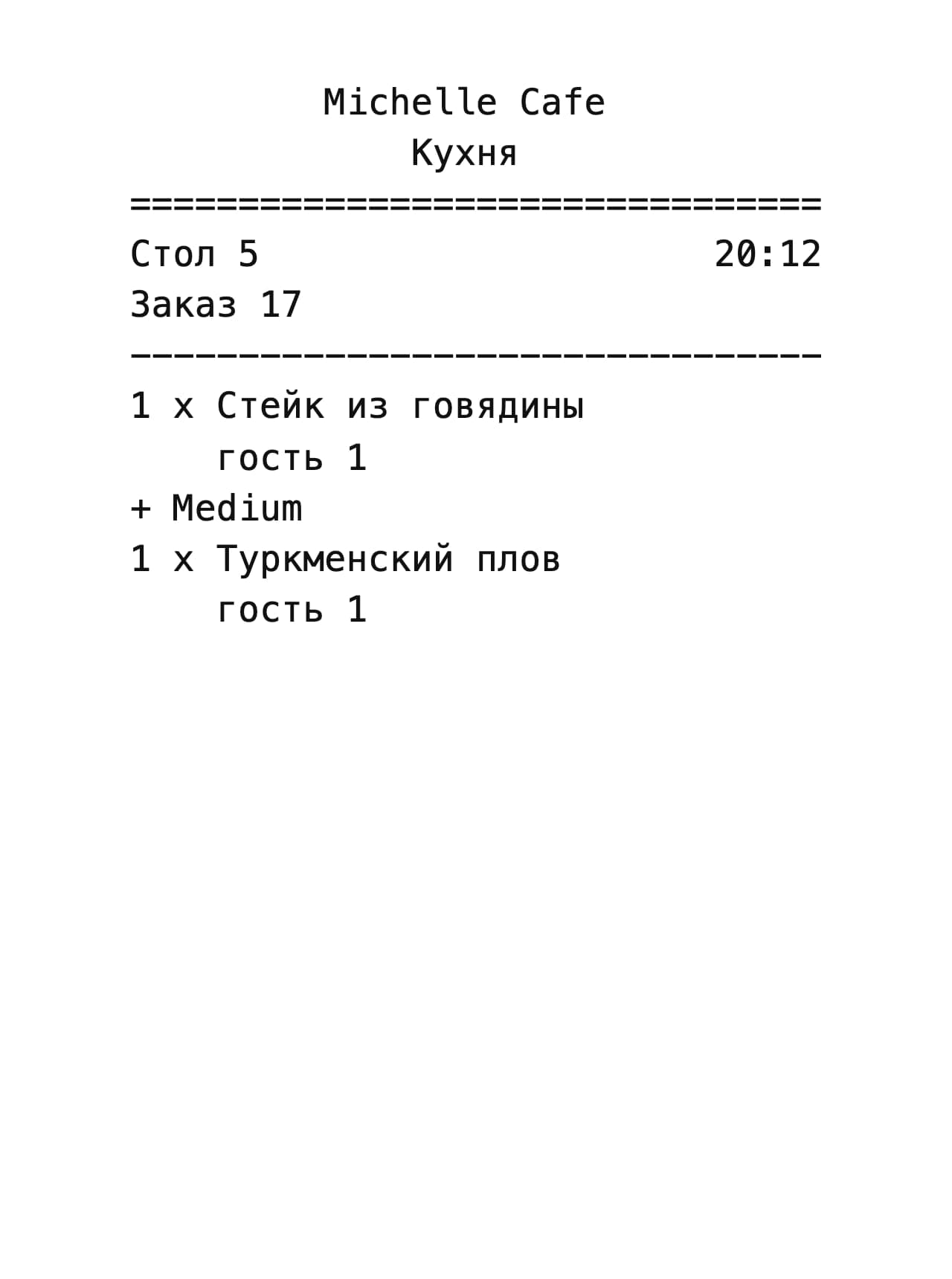
Accepting prints it. Hot dishes to the kitchen, drinks to the bar, each on its own slip — what to cook, and not a single price.
04
The till closes the table
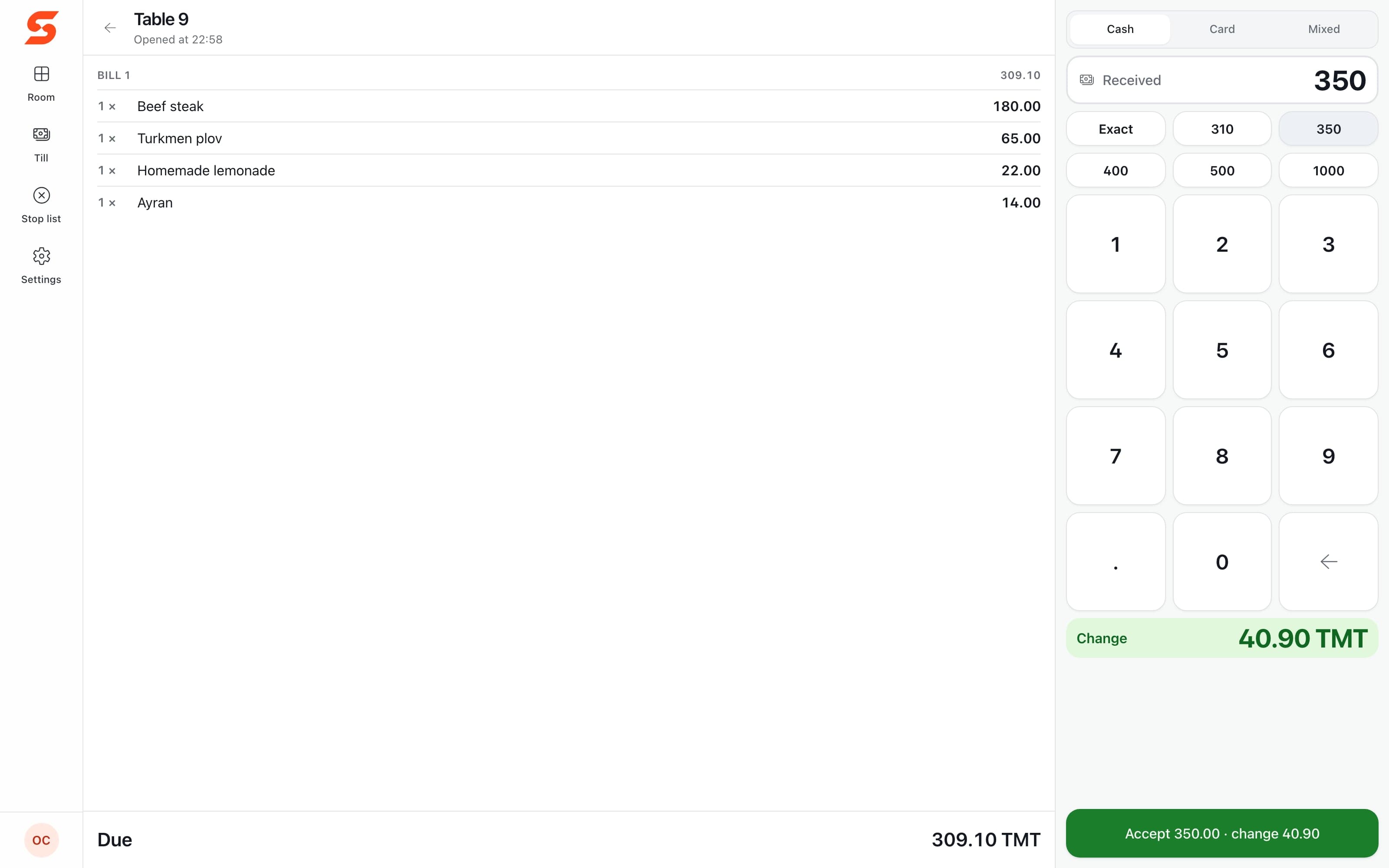
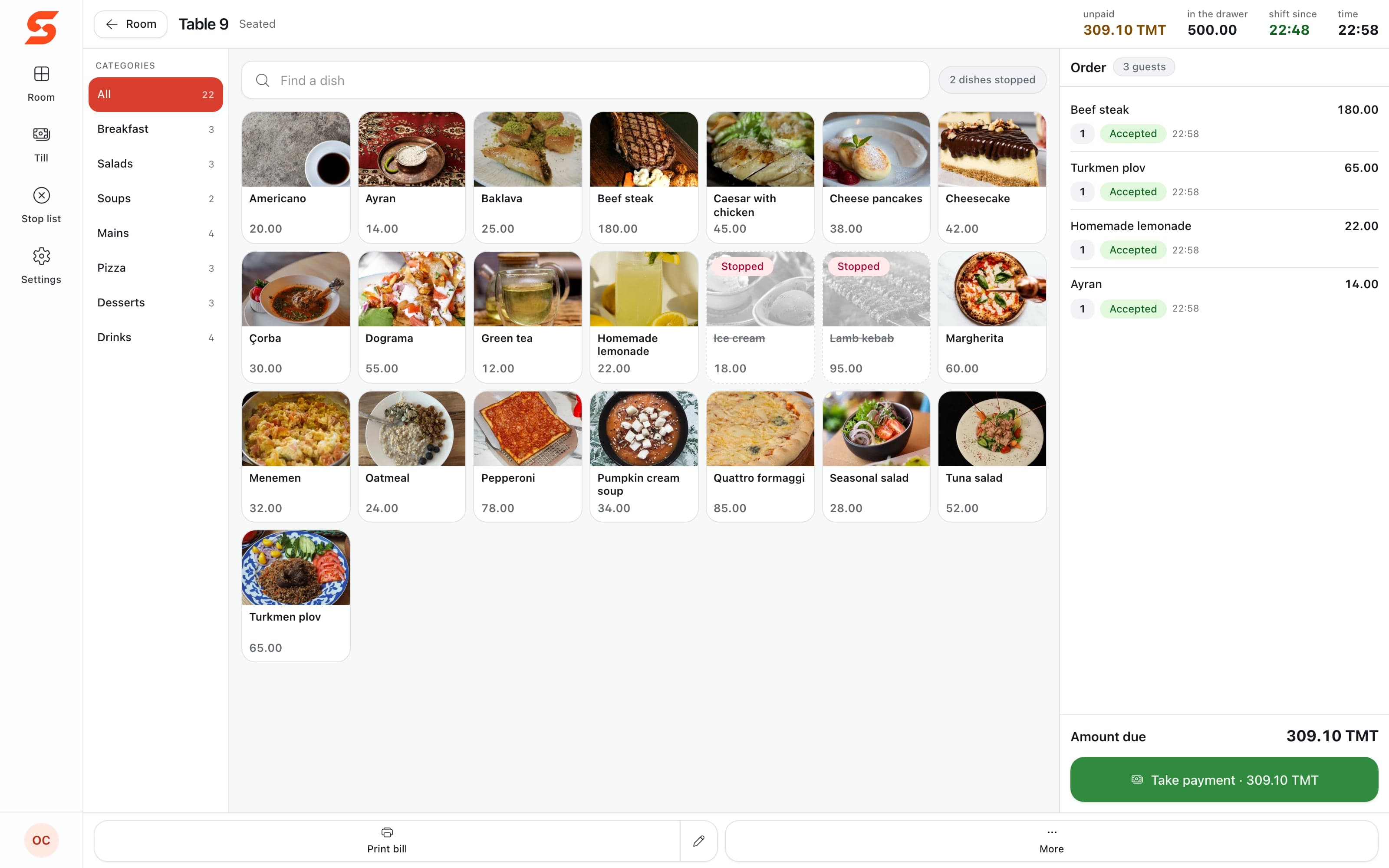
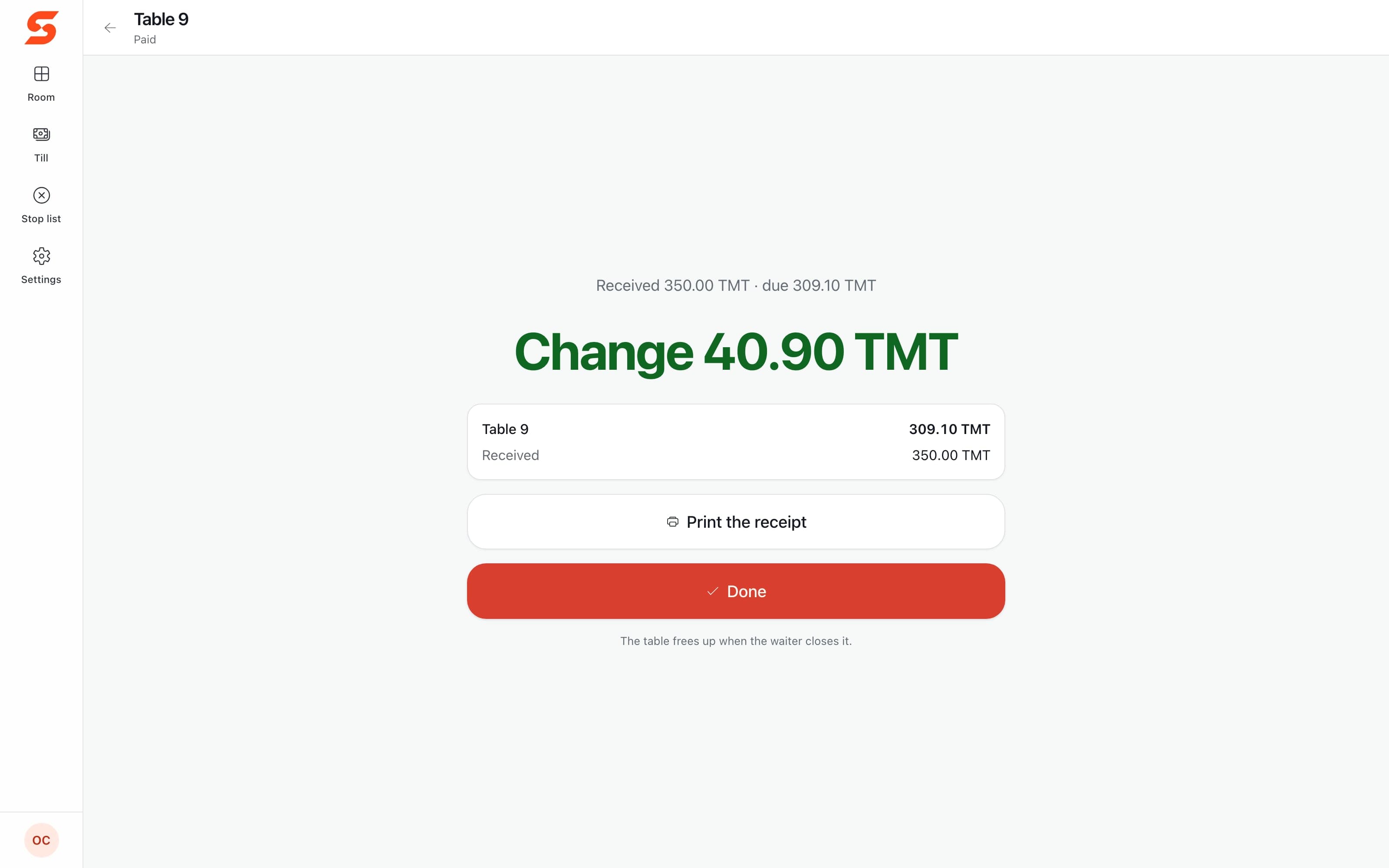
Cash, card or both. The change comes up in green, and a sum below the bill cannot be taken — not by the screen, not by the server.
05
The owner sees the result
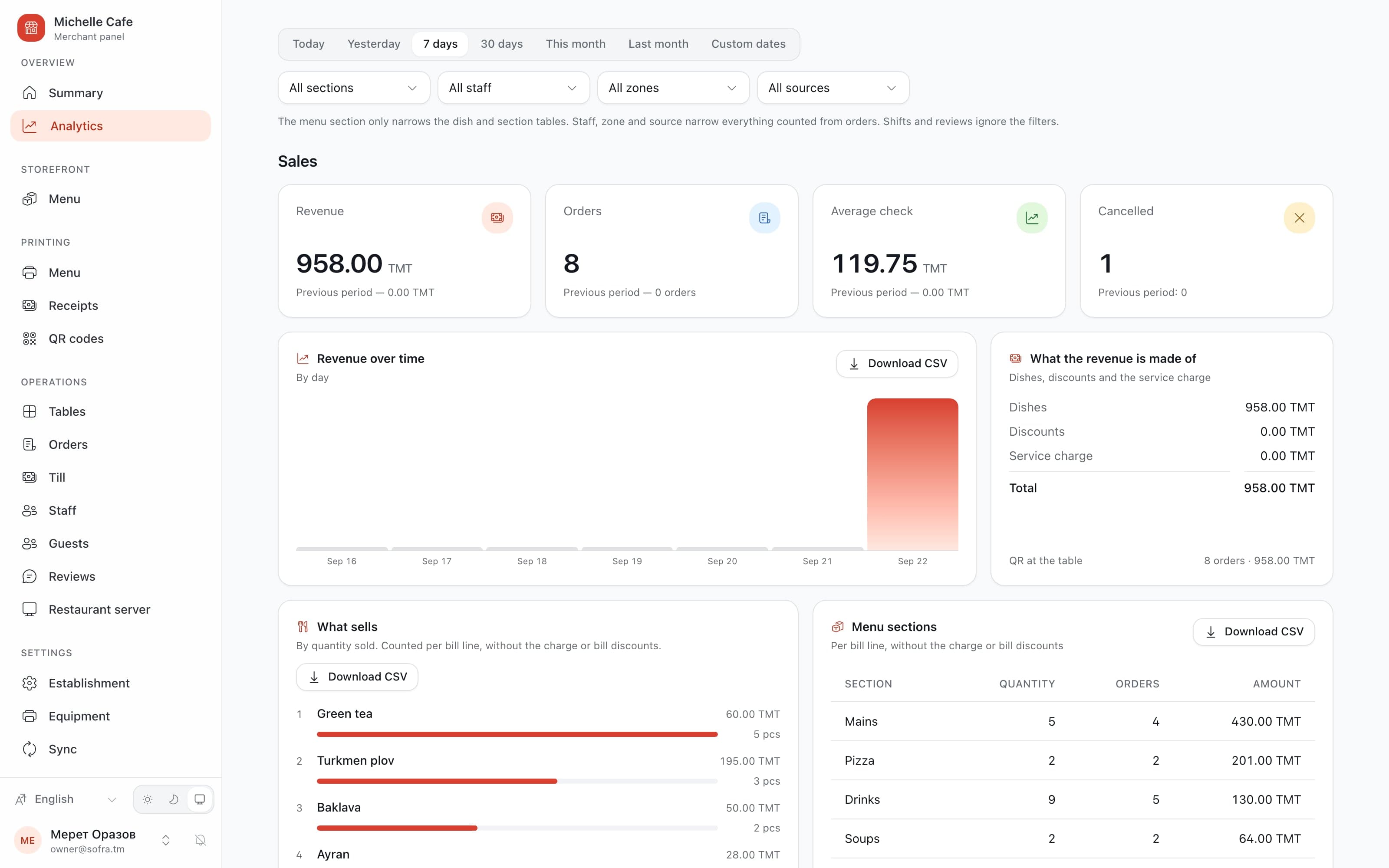
The day’s revenue, the average check and what sold, in the panel. From a laptop at home as easily as from the office.
01 / 05
The guest orders from the table
A steak, plov, a lemonade and an ayran leave the guest’s own phone as order #17 — with the service charge worked out before anyone asks.
Guest
The table orders for itself
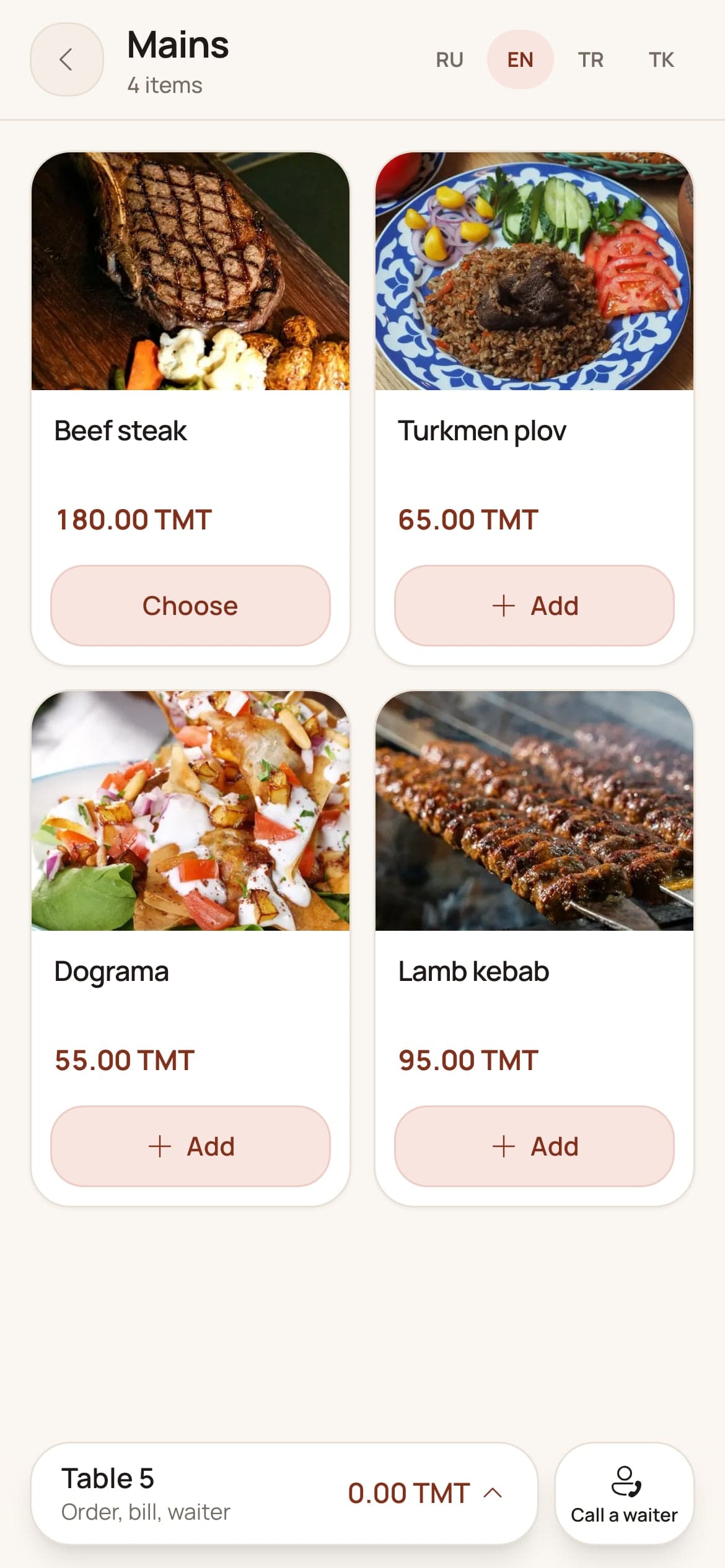
A camera on the code at the table, and the menu opens in the browser — in Turkmen, Russian, English or Turkish, with no app and no sign-up.
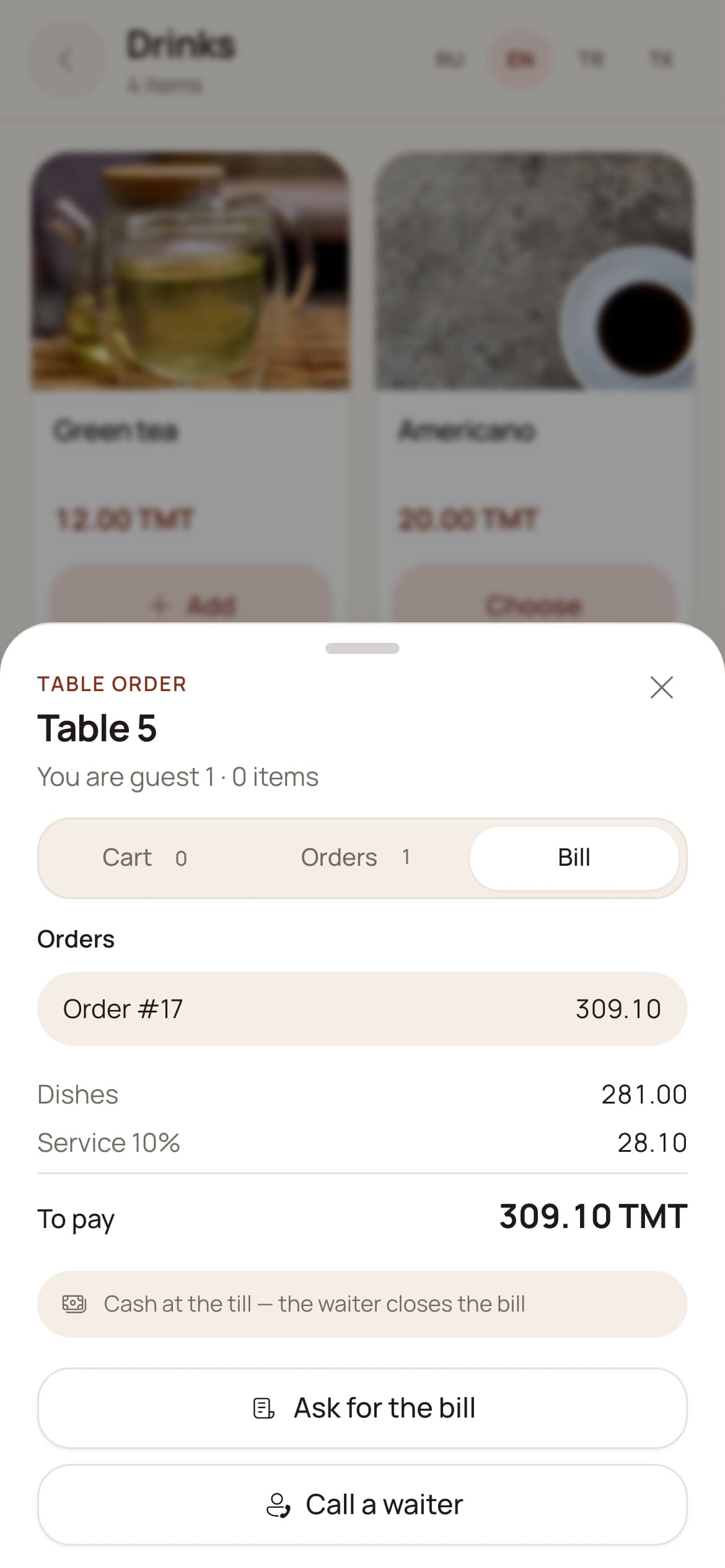
Every phone at the table adds to one order, each guest’s dishes under their own name, and the bill reads the same way. A waiter or the bill is one tap away.
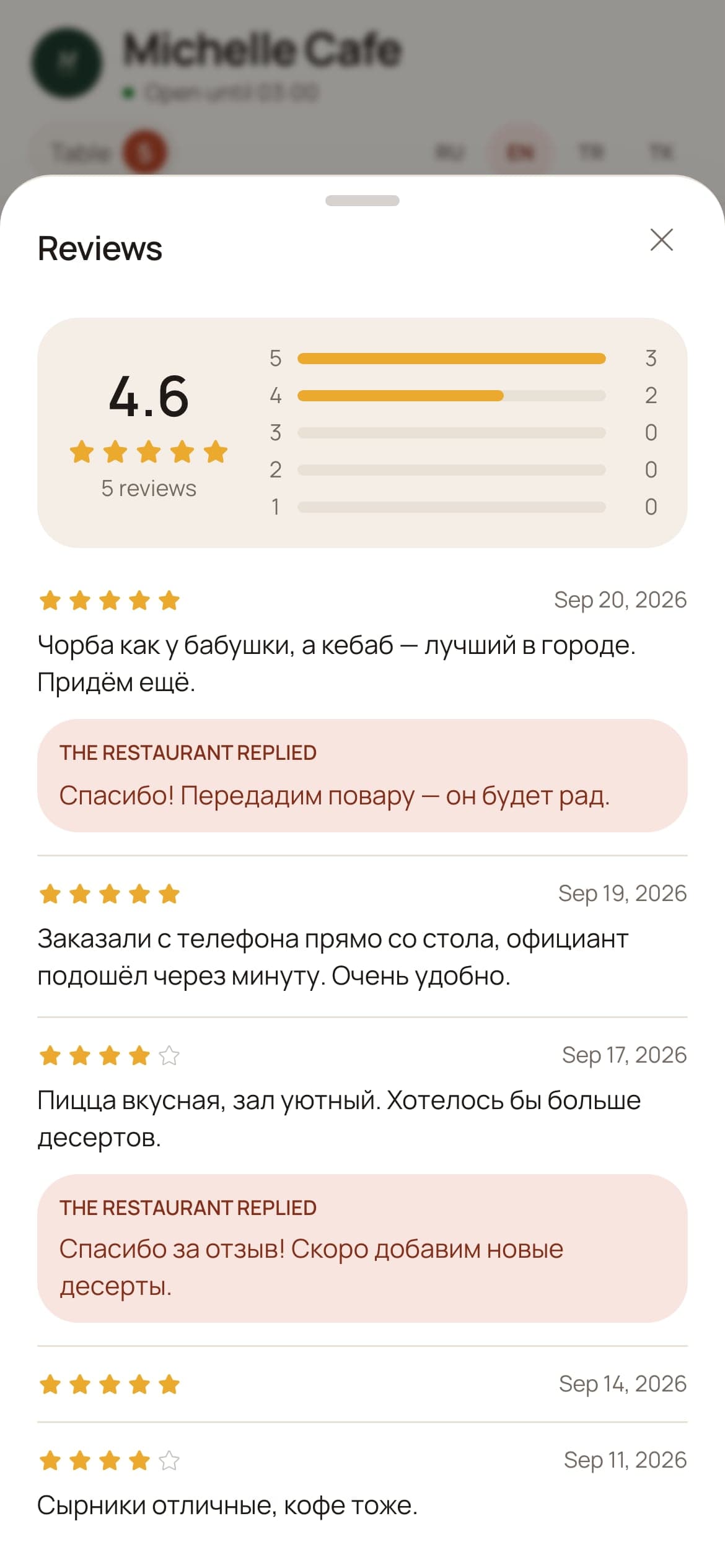
The page wears the restaurant’s own look, keeps the menu readable with no signal, and is the only place a review can be written — by somebody who sat there.
Michelle Cafe, table 5
390 px · a phone over a plate
Places
Found before anybody sits down
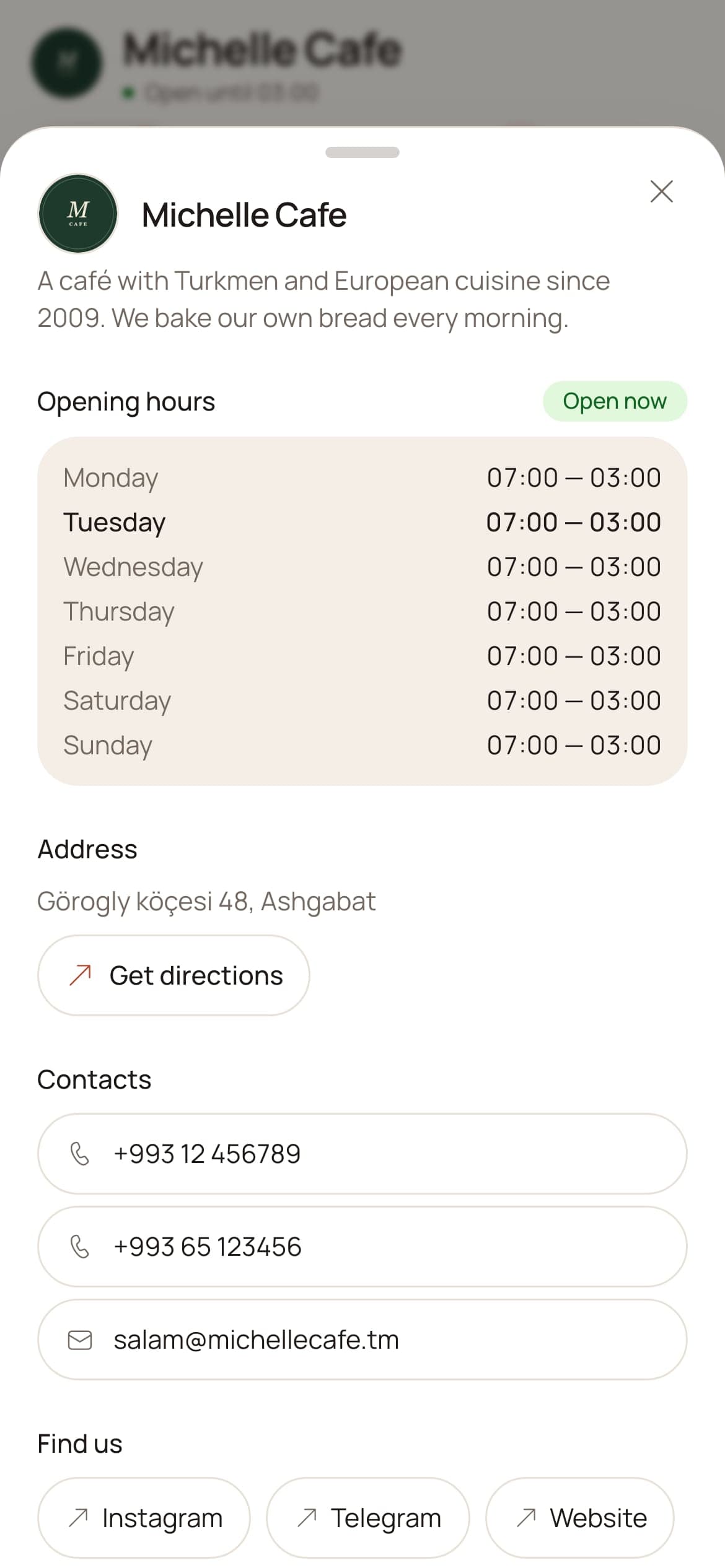
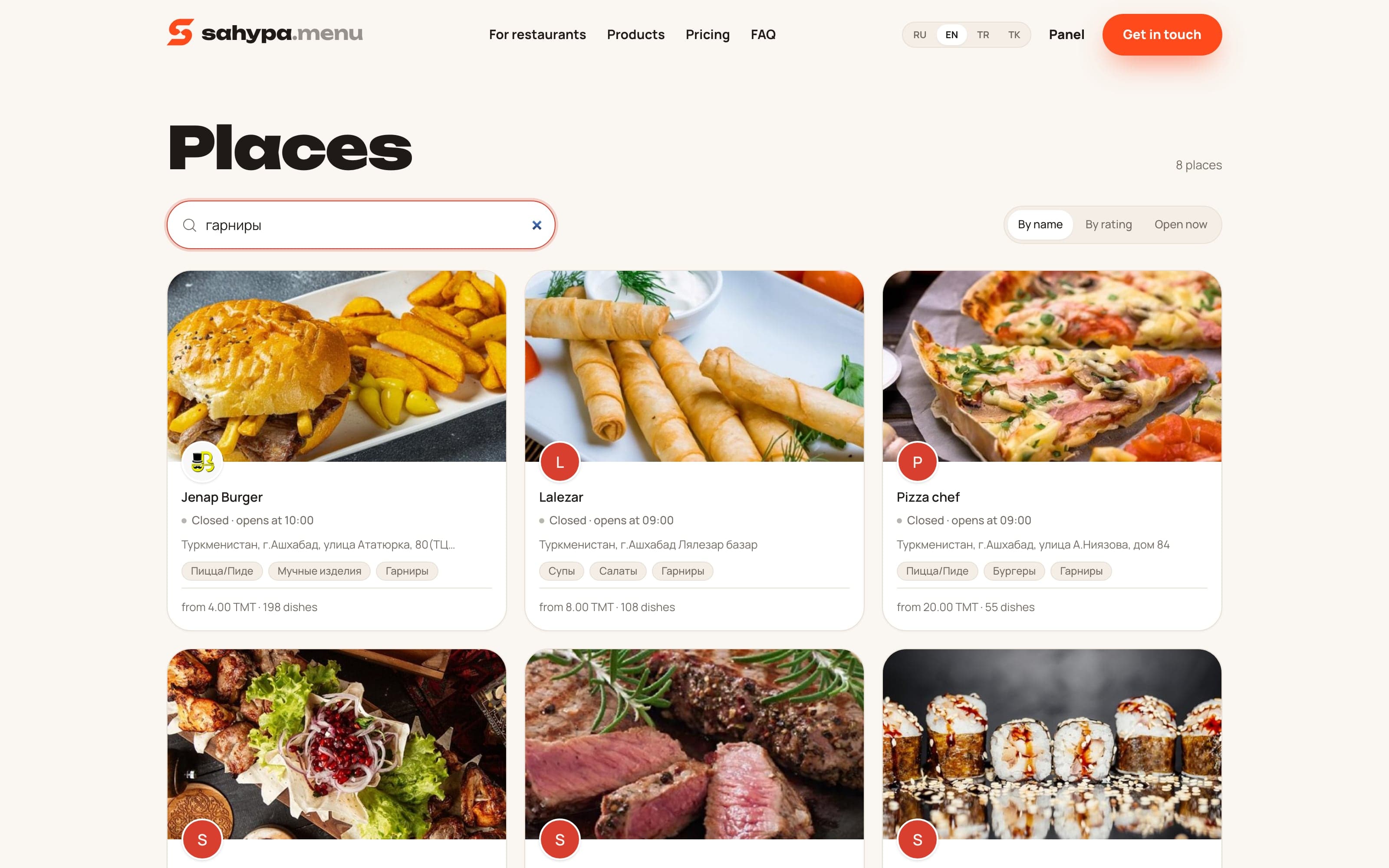
Every restaurant on the system also gets a public page in the directory at sahypa.menu: its menu, its hours and its reviews, sorted by name, by rating, or by who is open now.
Waiter
The whole floor in a pocket
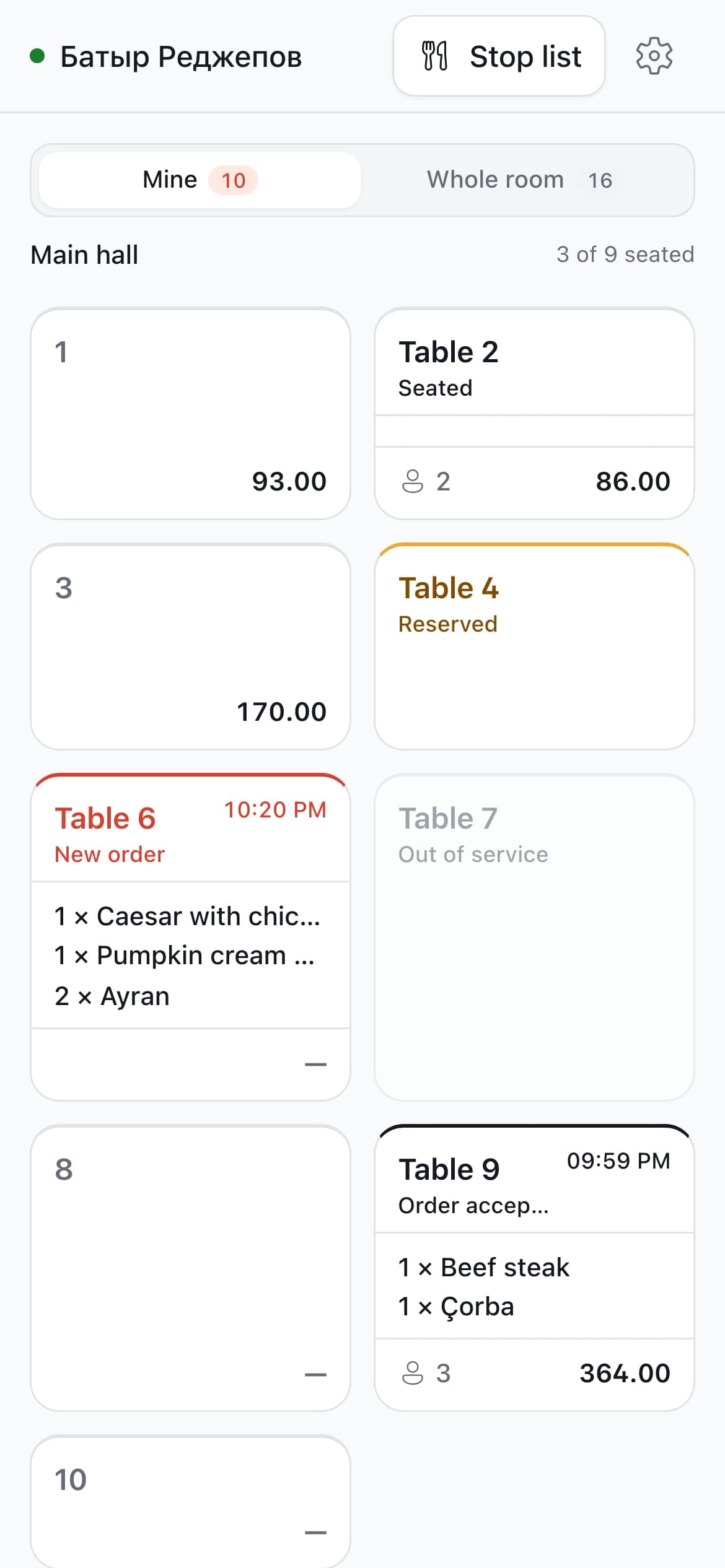
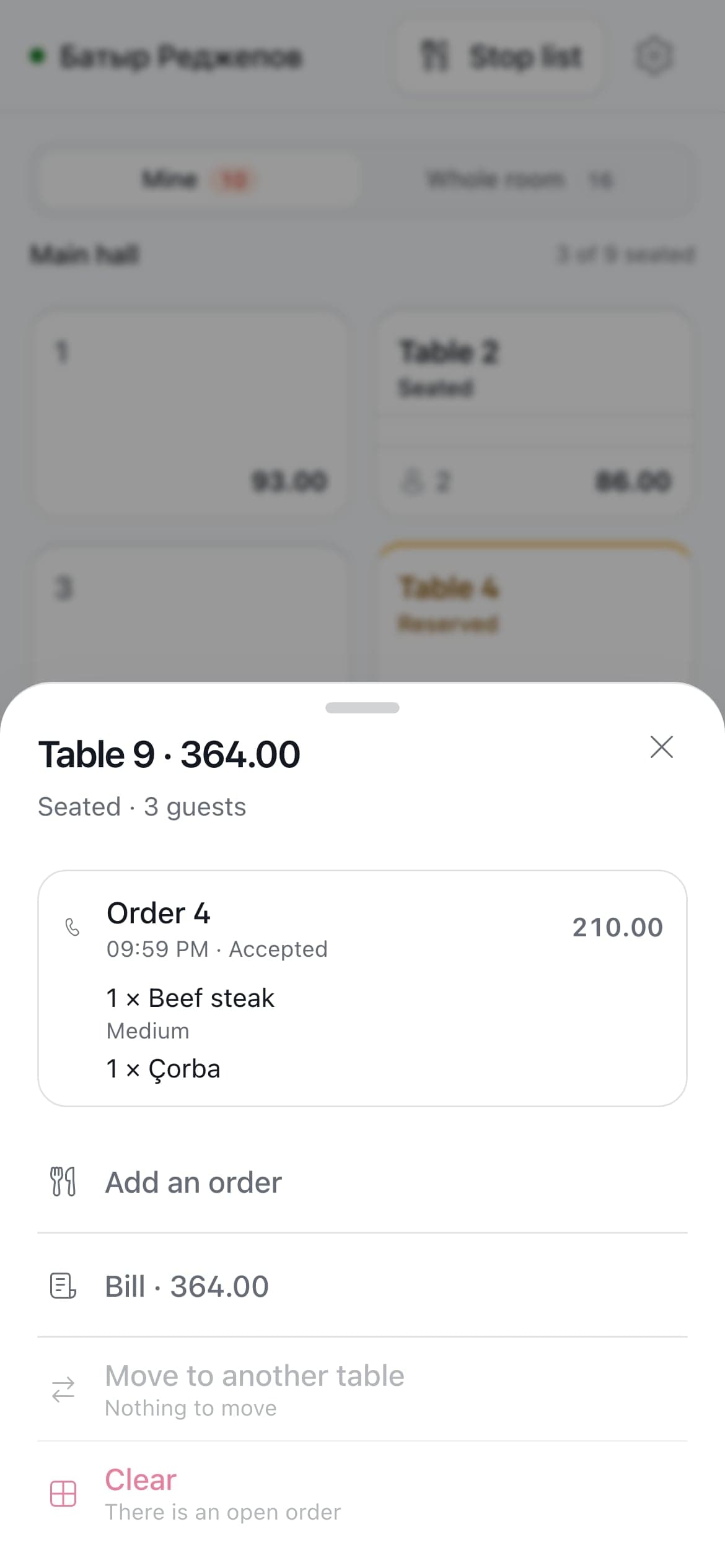
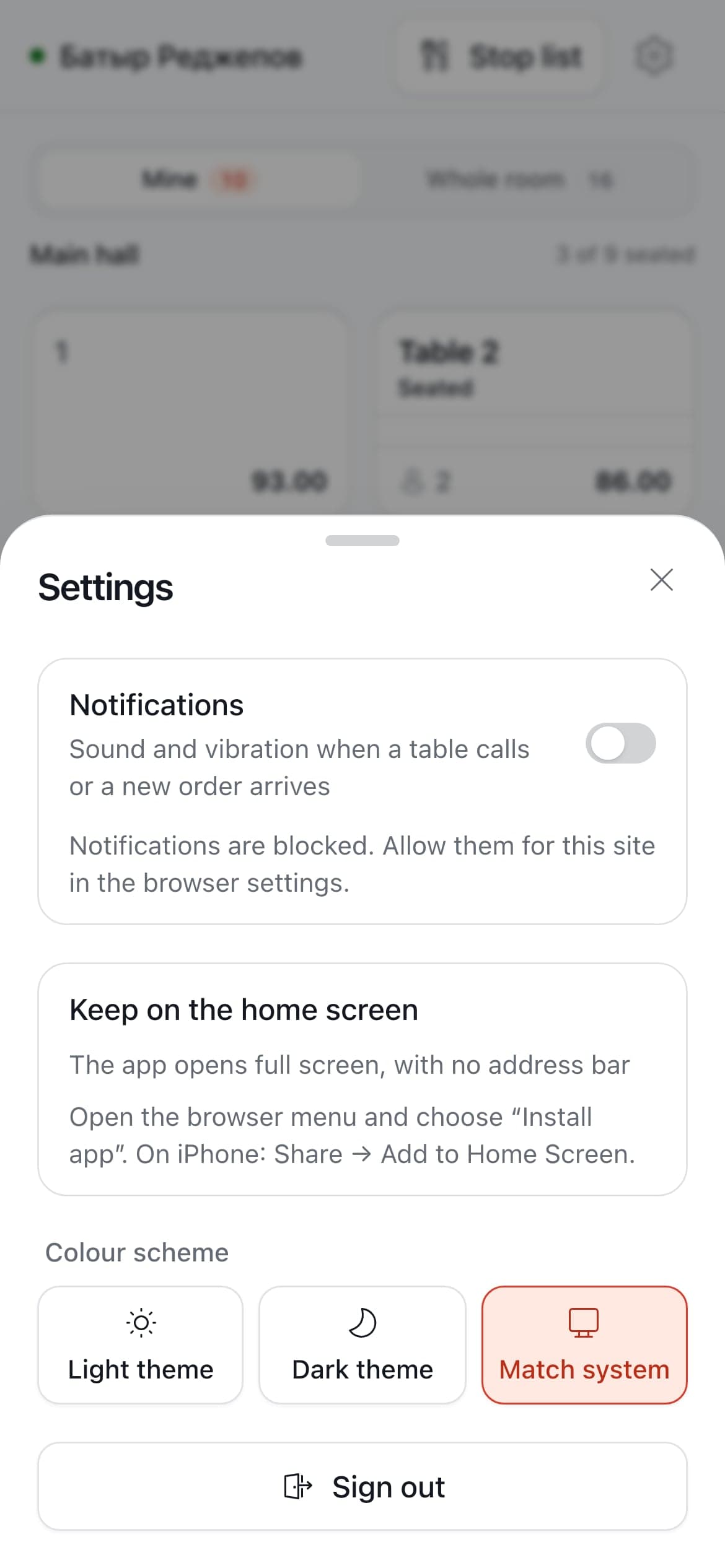
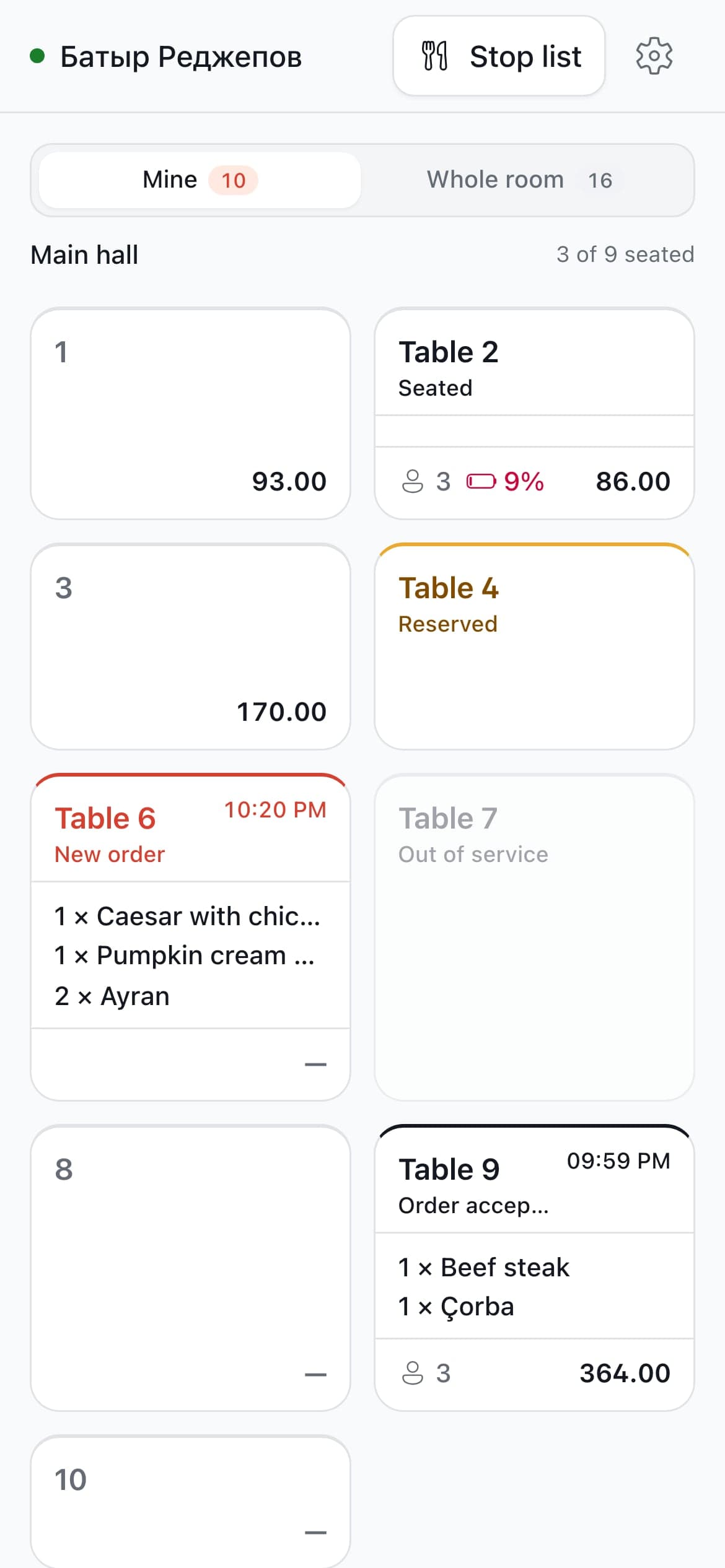
Waiters use their own phones. The room opens in a browser from the restaurant’s own server, so there is nothing to install and nothing that needs the internet.
One screen: the tables, the calling ones first. A new round rings in two rising runs, a call in three pulses — told apart without looking.
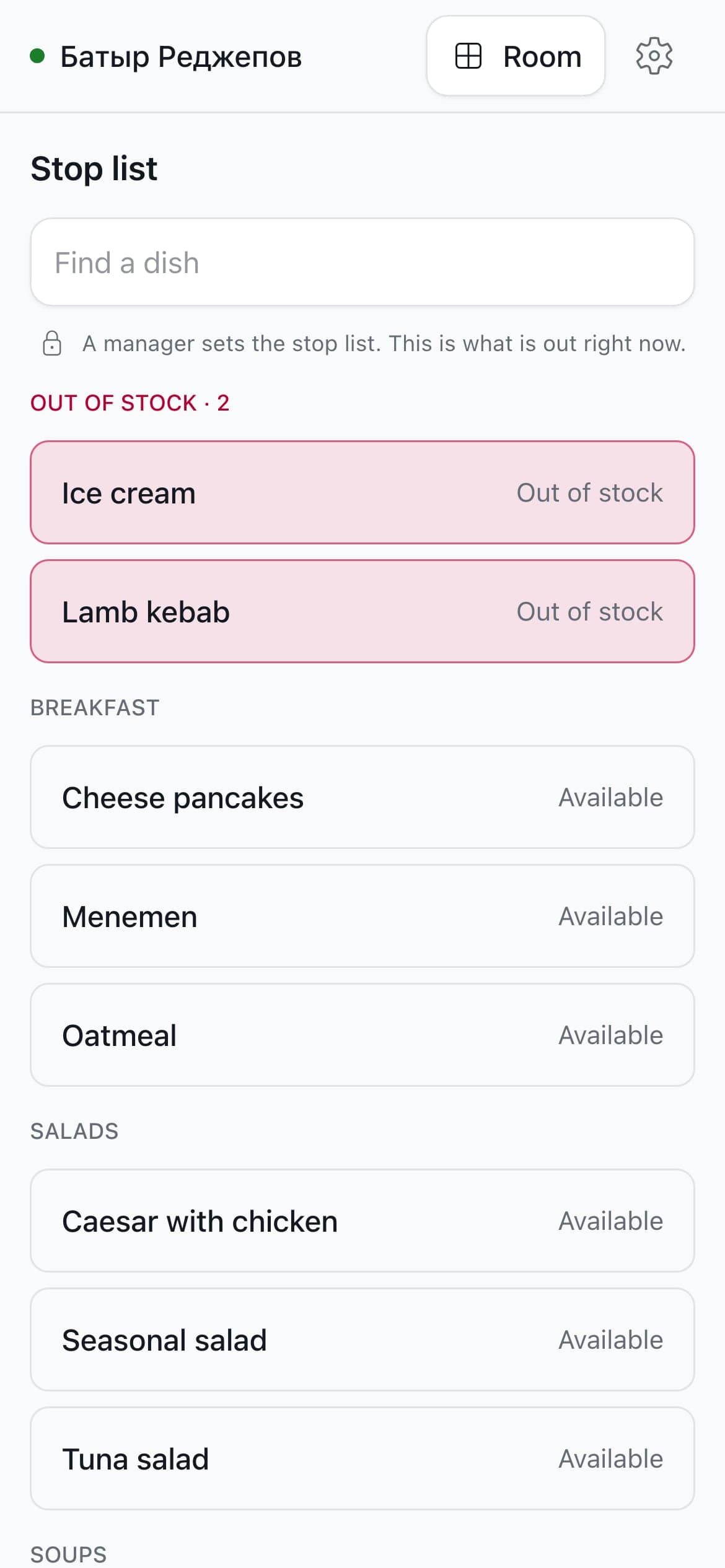
The stop list sits in the header. A dish marked out there leaves every guest’s menu at once, so nobody orders what the kitchen no longer has.
What it knows
A scan leaves more than an order
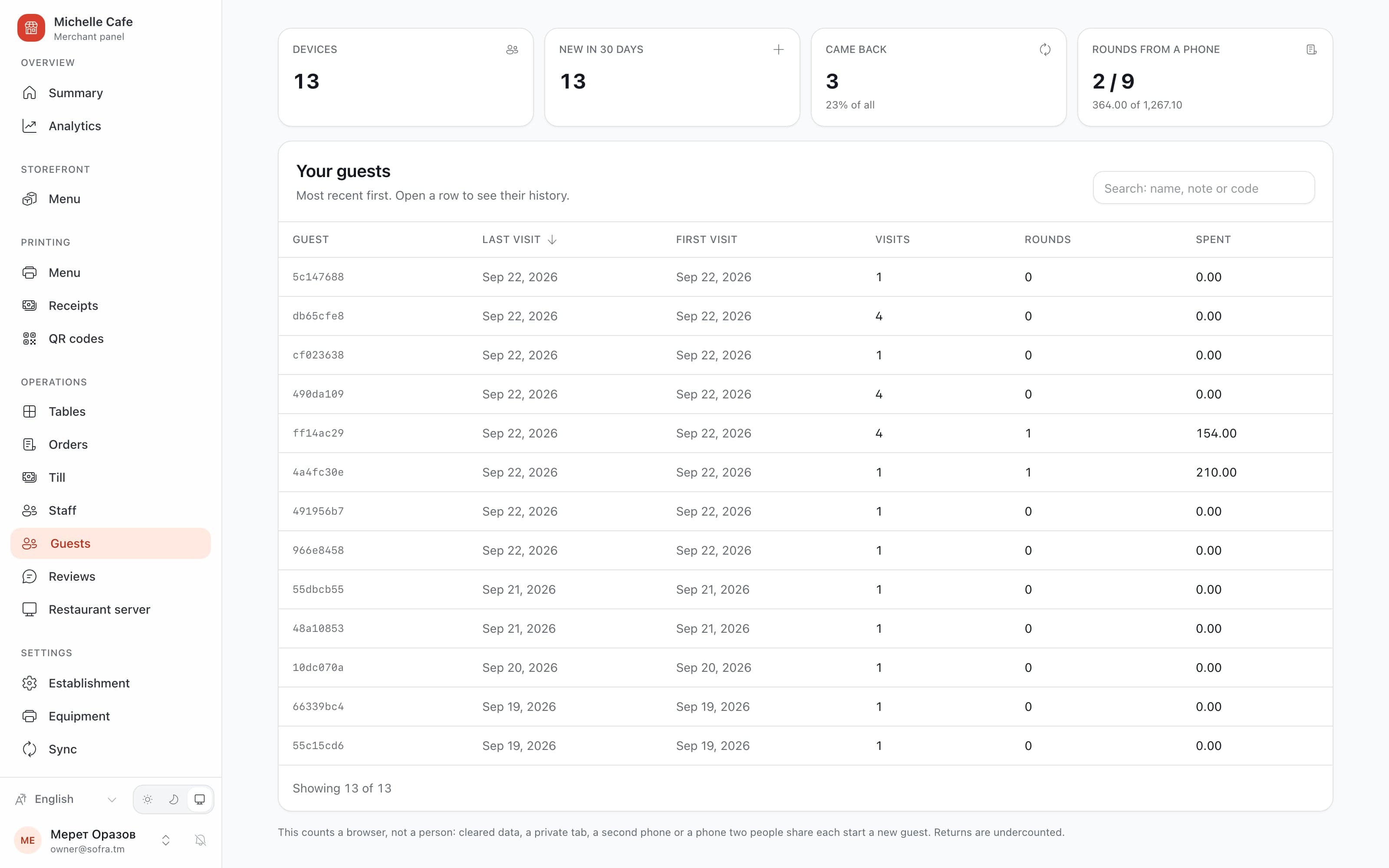
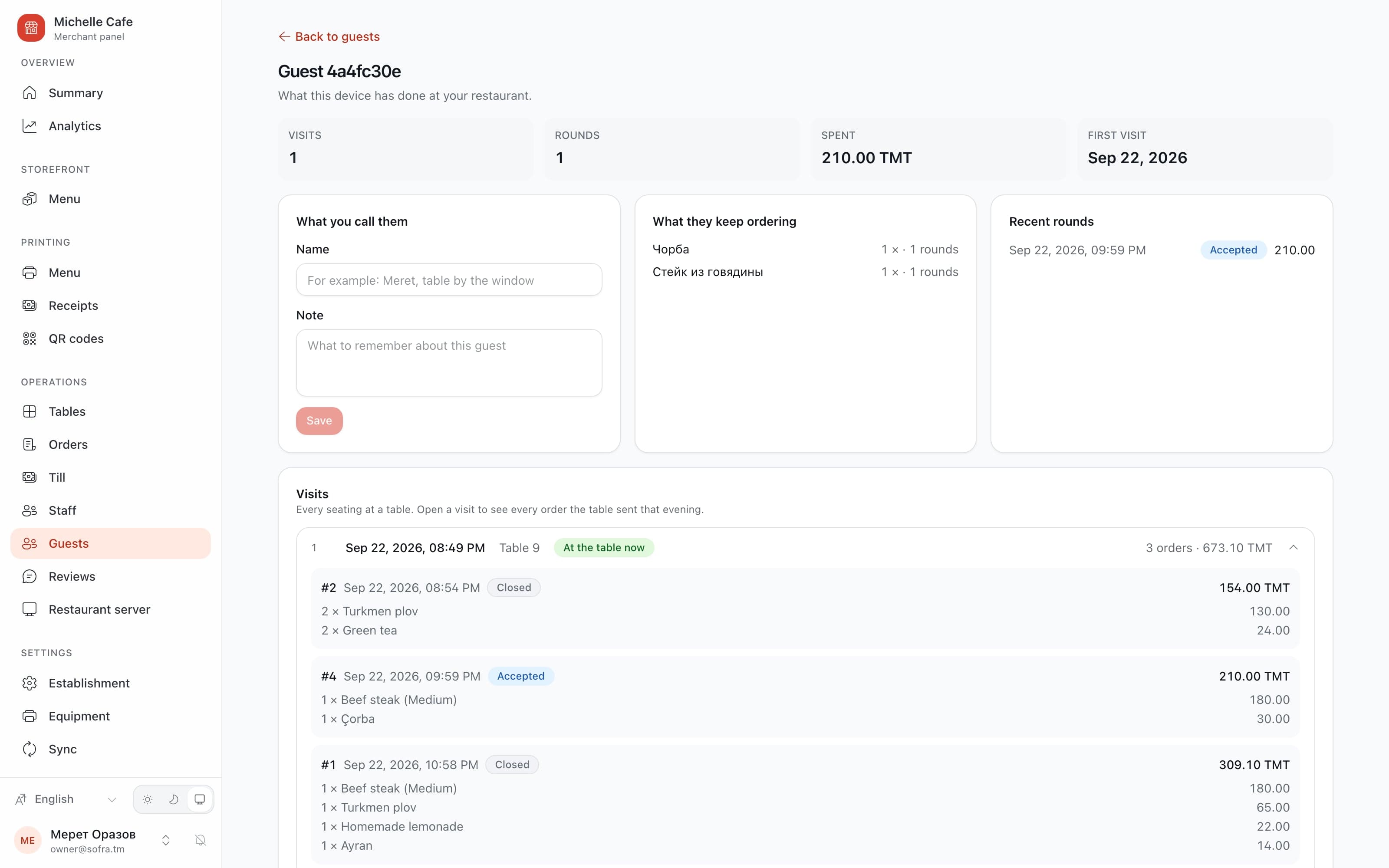
A restaurant has never had a way to count the people who walk in. Here every phone that scans is counted — as a device, not as a person, which is a distinction the panel makes in writing.
Some of it is service, this minute: a table whose phones are about to die shows the waiter a figure, because a dead phone is a table that has to be served by hand — the round taken on paper and the bill carried over.
The rest is the restaurant’s own trade: who came back, what they order every time, which sections guests open, and how far a phone gets before it stops short of ordering.
And the part it refuses to know
No account, ever
No sign-up, no phone number, no app. A phone mints its own token, the server keeps it in a cookie it set, and it never travels in a link — a token in a query string is a credential in every proxy log.
One restaurant’s own guests
«First seen» means here, not on the platform: a restaurant is never shown where else a guest eats. Ask for somebody else’s guest and the answer is that there is no such guest.
Nothing reaches the till
Guest history, events and reviews stay in the cloud and never replicate to the restaurant’s computer. The machine on the floor has no question they answer.
The funnel counts itself honestly
Menu opened, section opened, dish opened, cart opened — measured by the product itself, with no third-party script on a guest’s phone, and sent only after the screen has already drawn. The fifth step is read from the orders, so the surface being measured cannot inflate its own figure.
A review comes from a seat
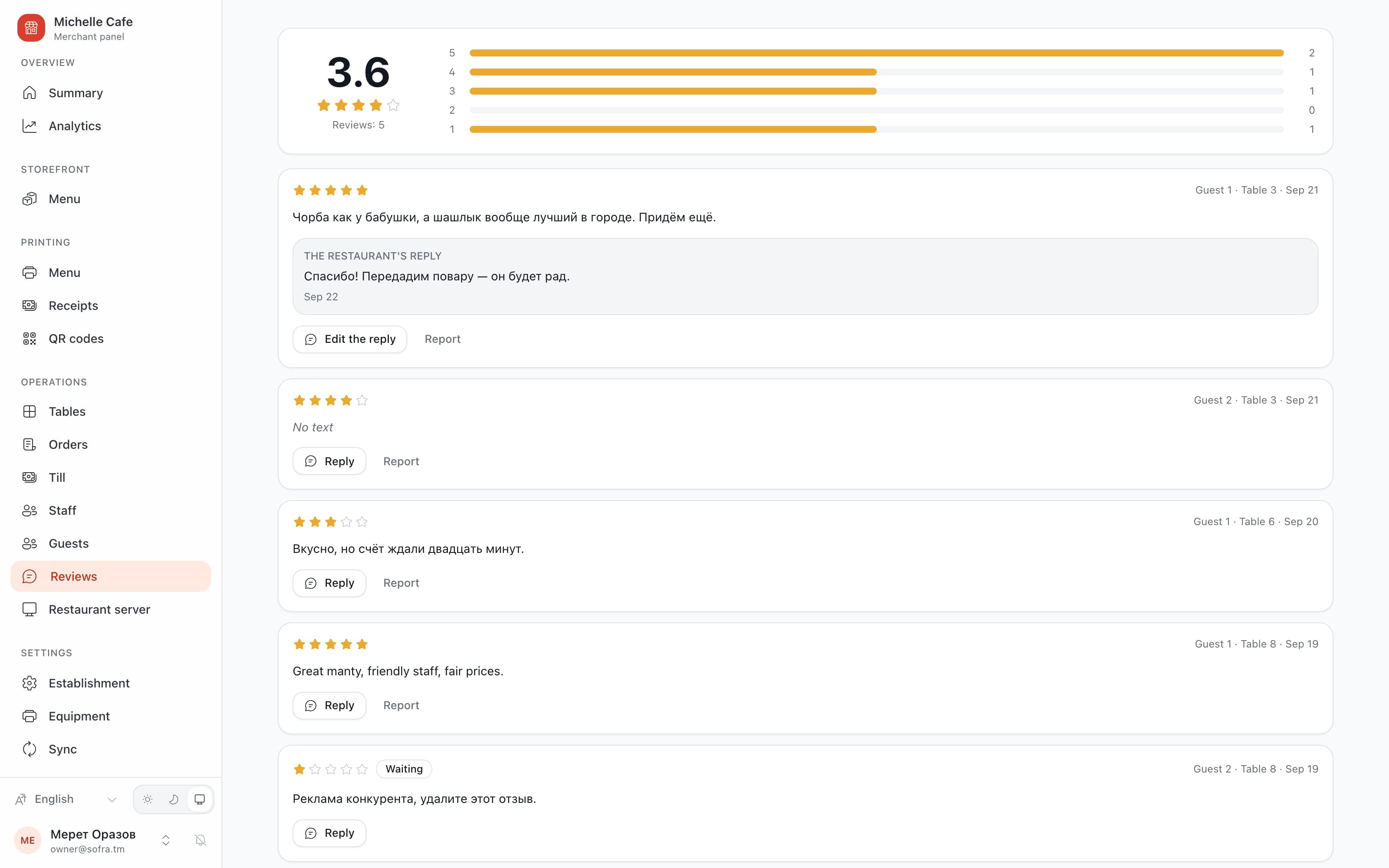
Only from a table the restaurant’s own staff closed, once per seat, within a fortnight. The restaurant may answer it or report it, and only the platform can take it down — until then it stands exactly as written.
Nobody is named
A guest is the number their table calls them. The name in the panel is the restaurant’s own note to itself, and the guest is never shown it.
Till
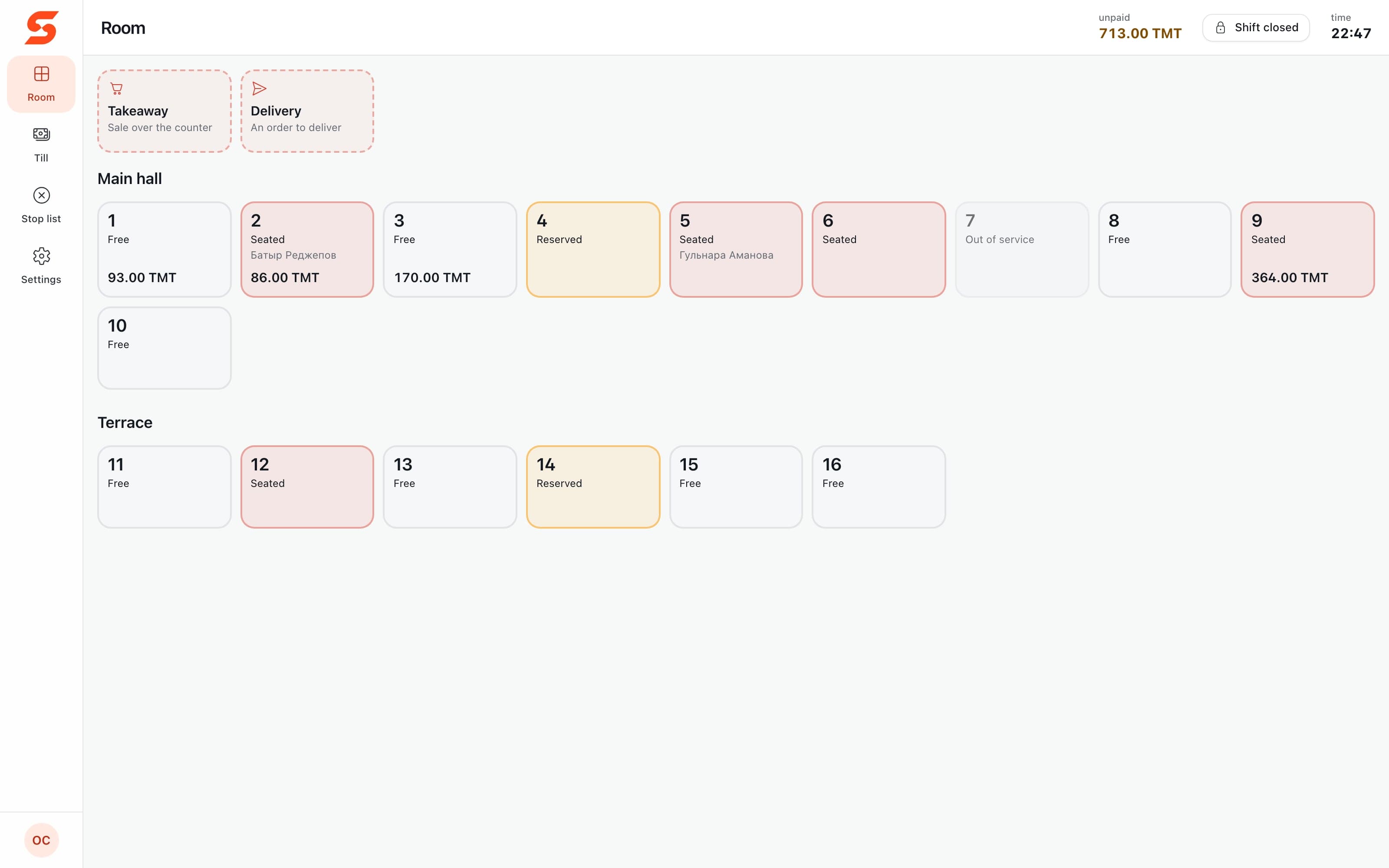
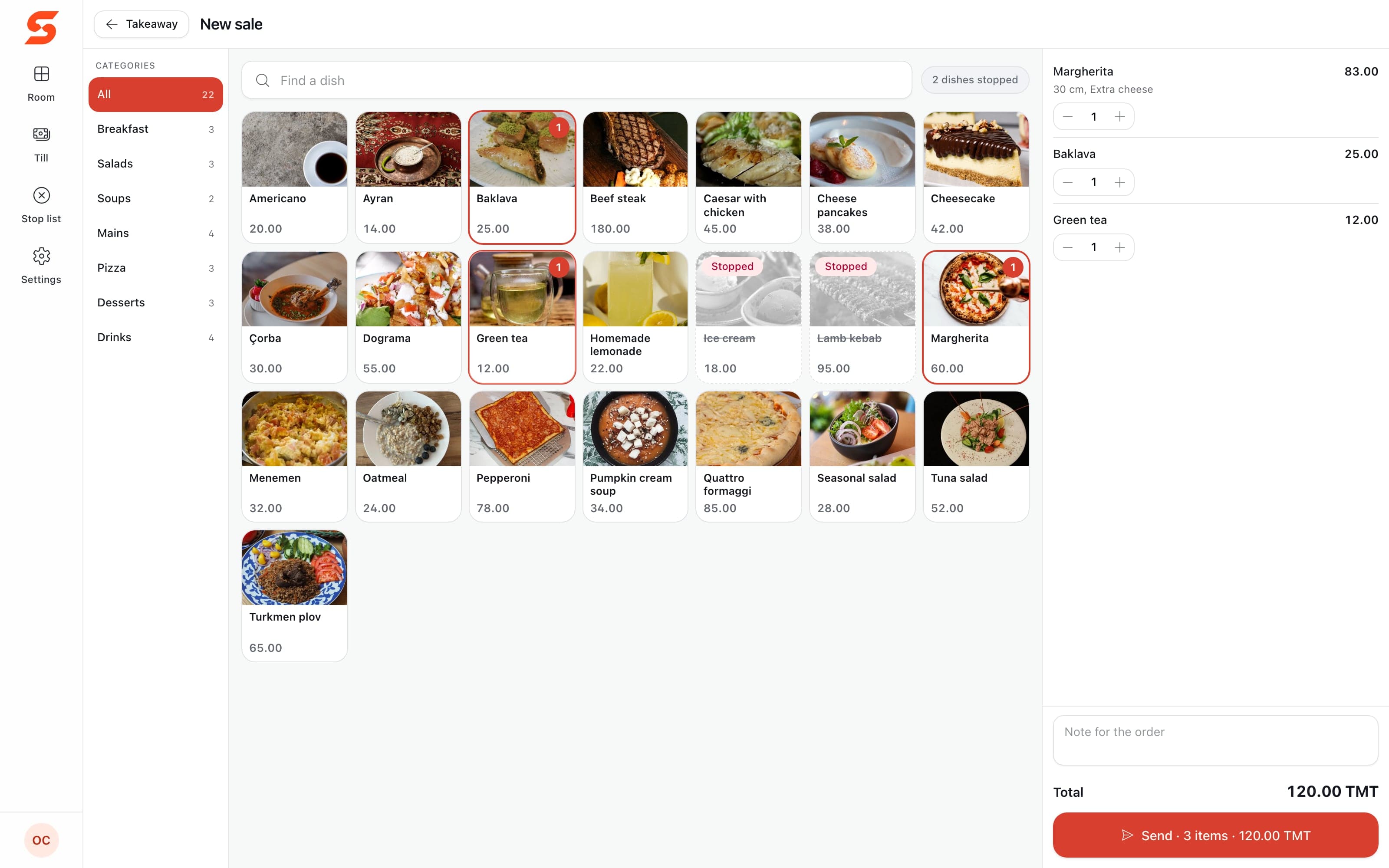
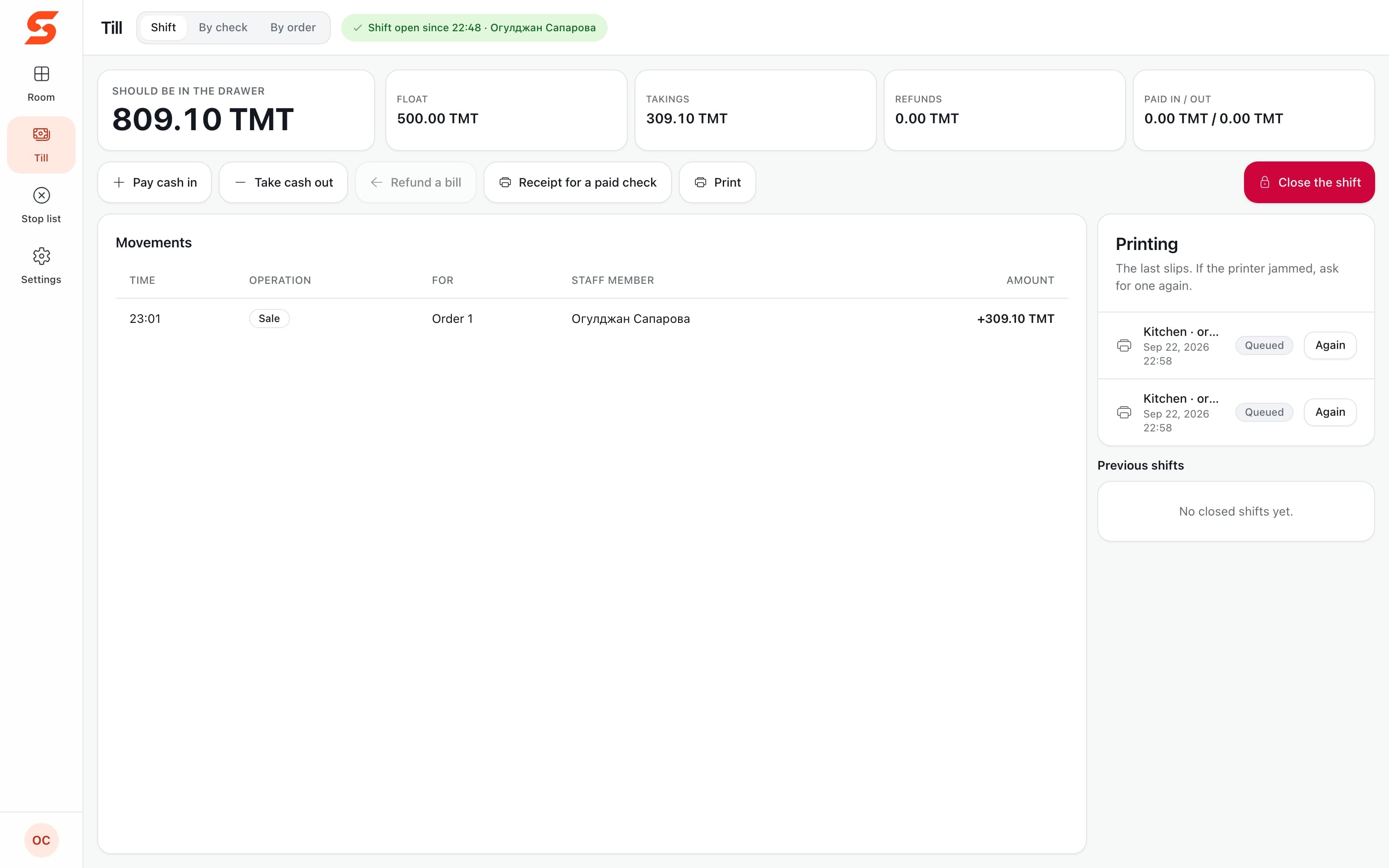
An ordinary Windows computer is the till
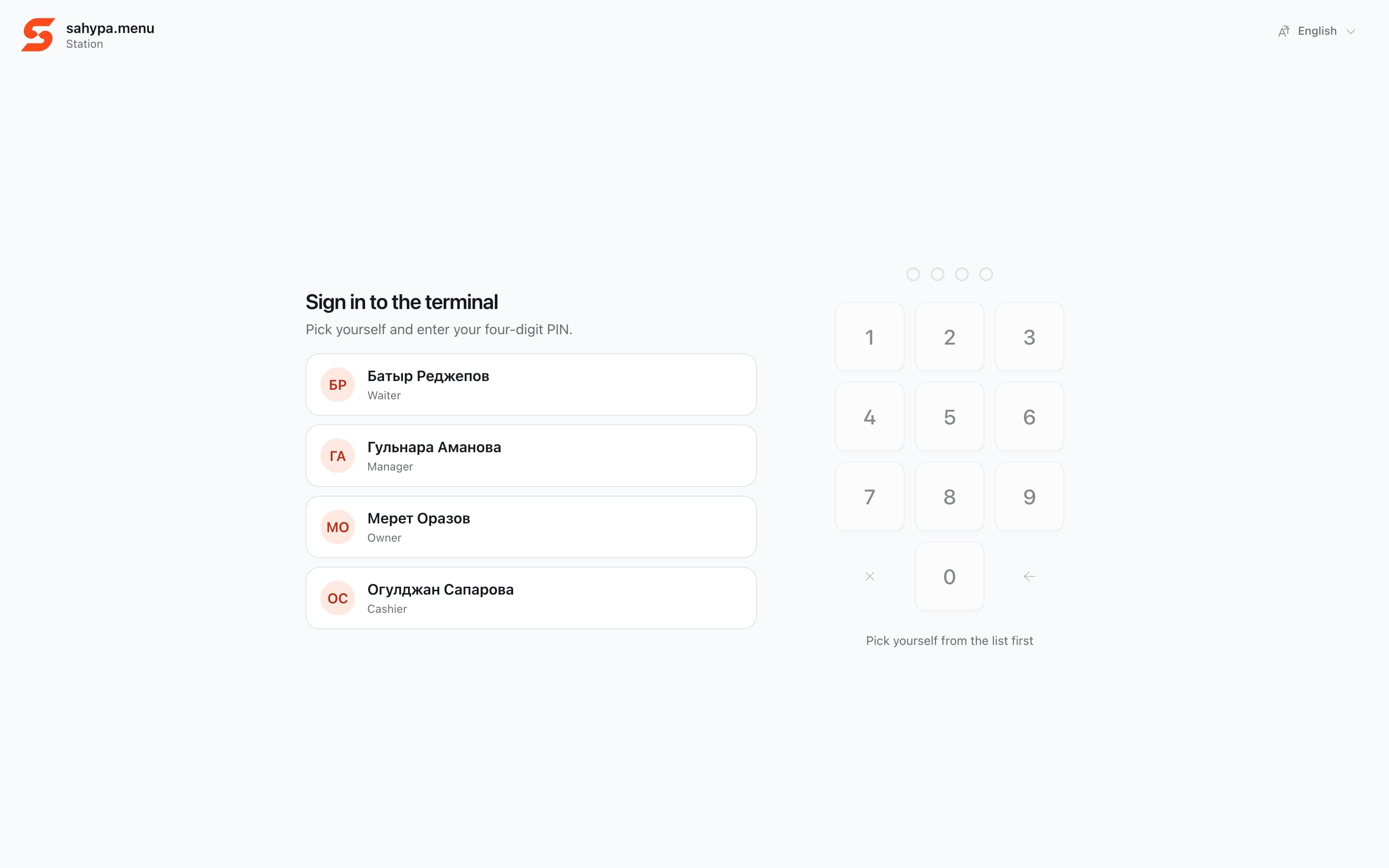
One installer turns any Windows computer into the till and the restaurant’s server at once. A second till, or a waiters’ station, sits beside it.
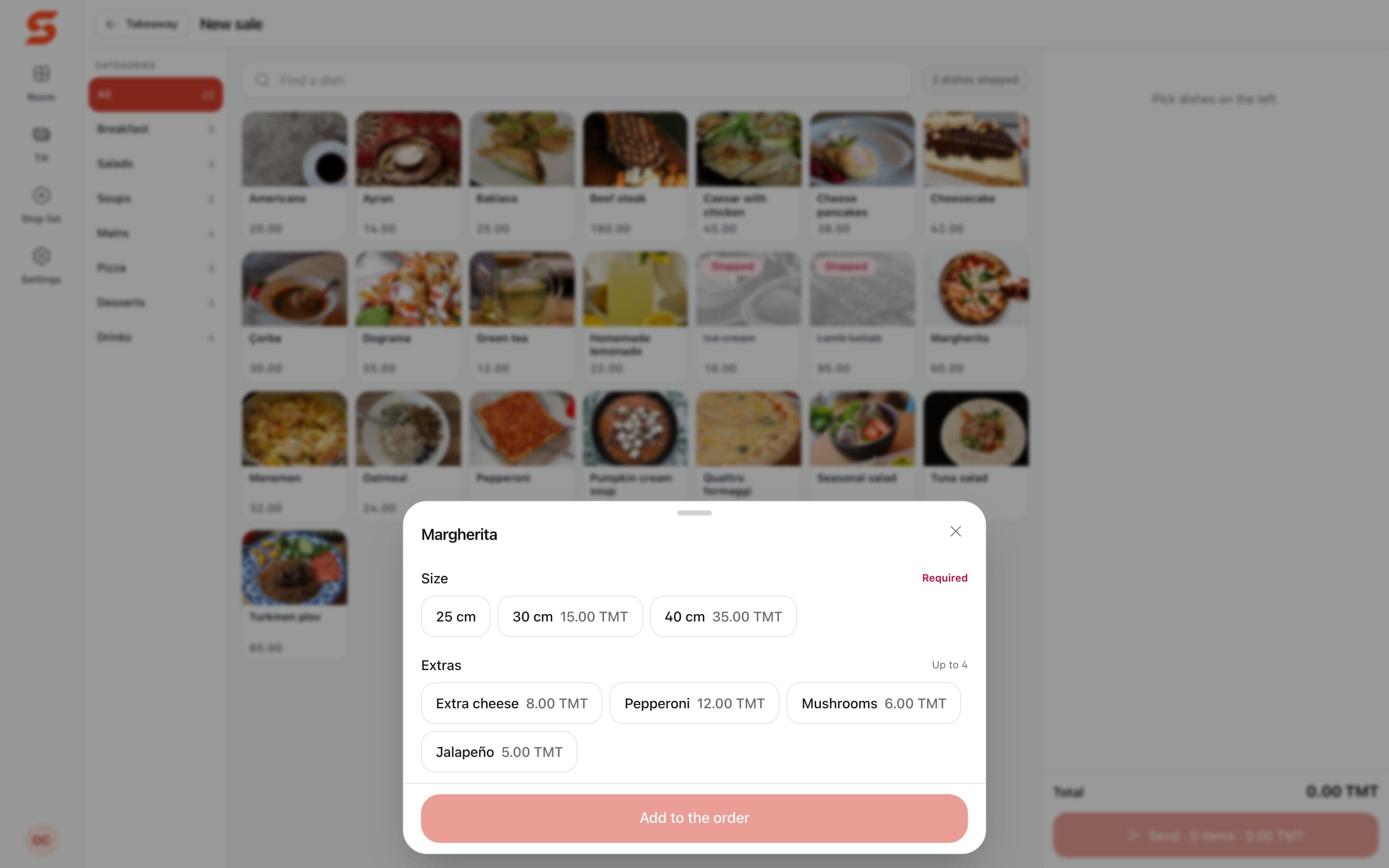
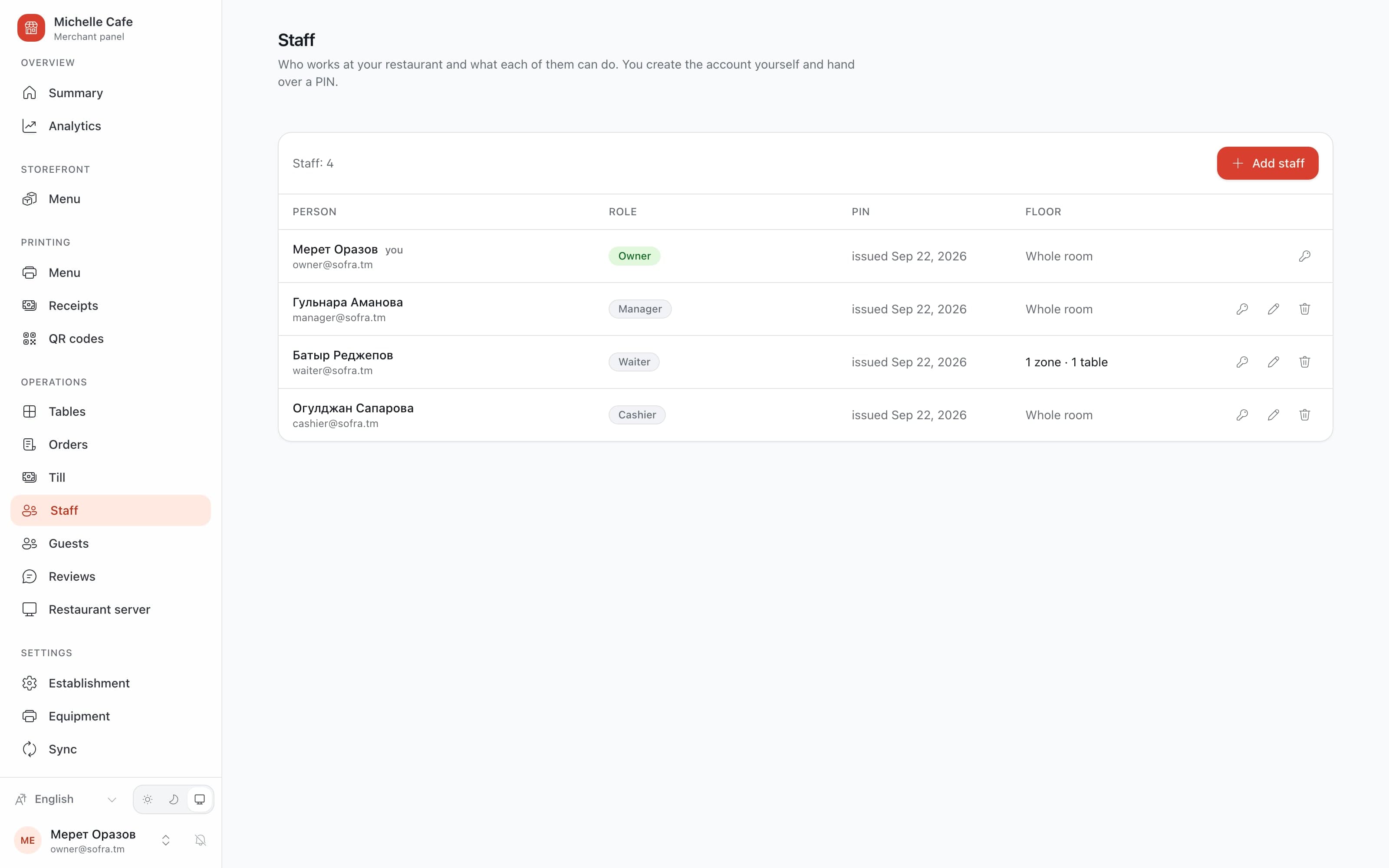
Who signs in decides what they see: a cashier gets the room, takeaway, checks and the drawer; a waiter only the room and the stop list. Everybody signs in with a PIN.
It stops behaving like a web page: no right-click menu, no photo peeled off the screen, no zoom — a double tap adds a second portion instead.
Panel
The owner sees it from home
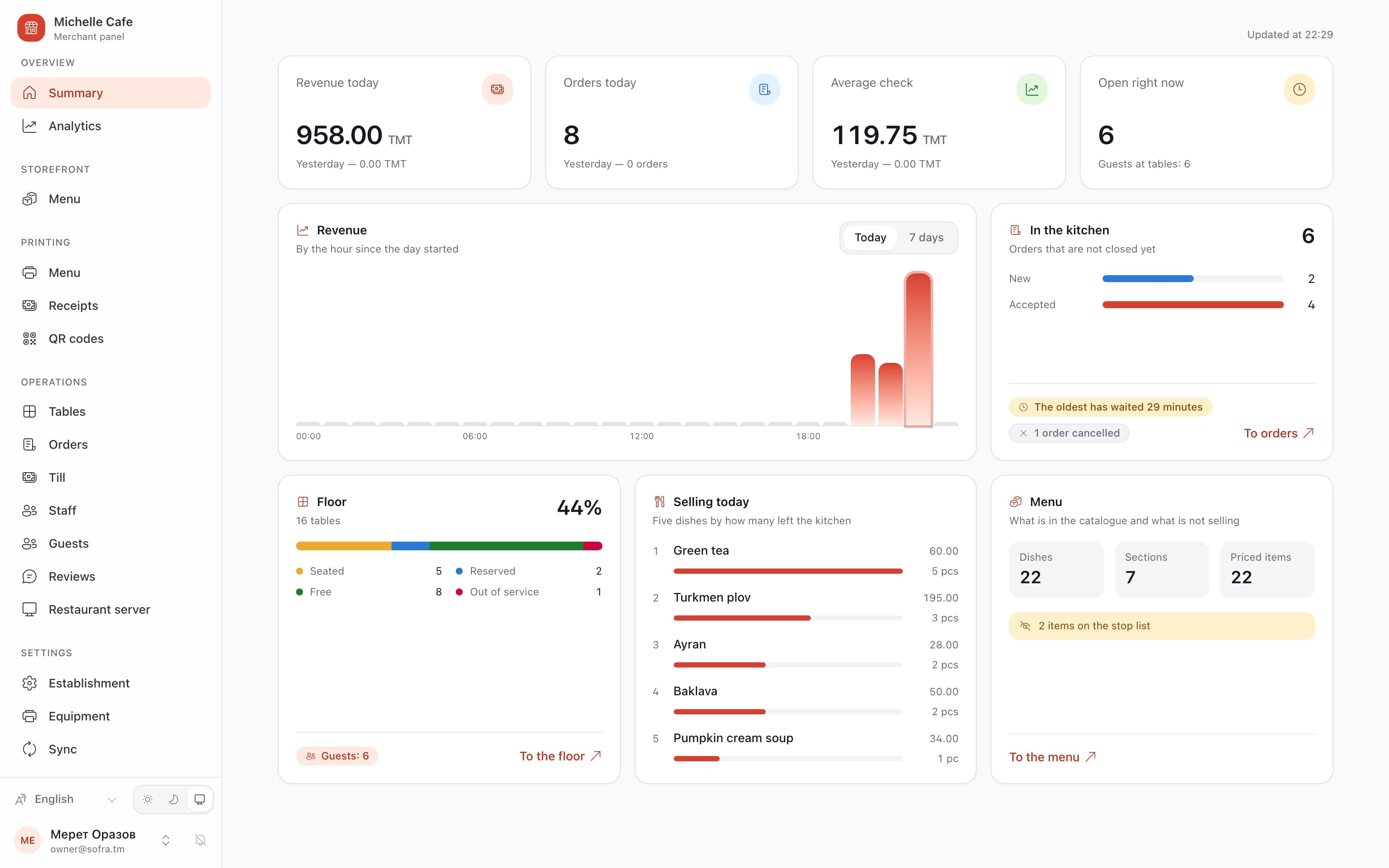
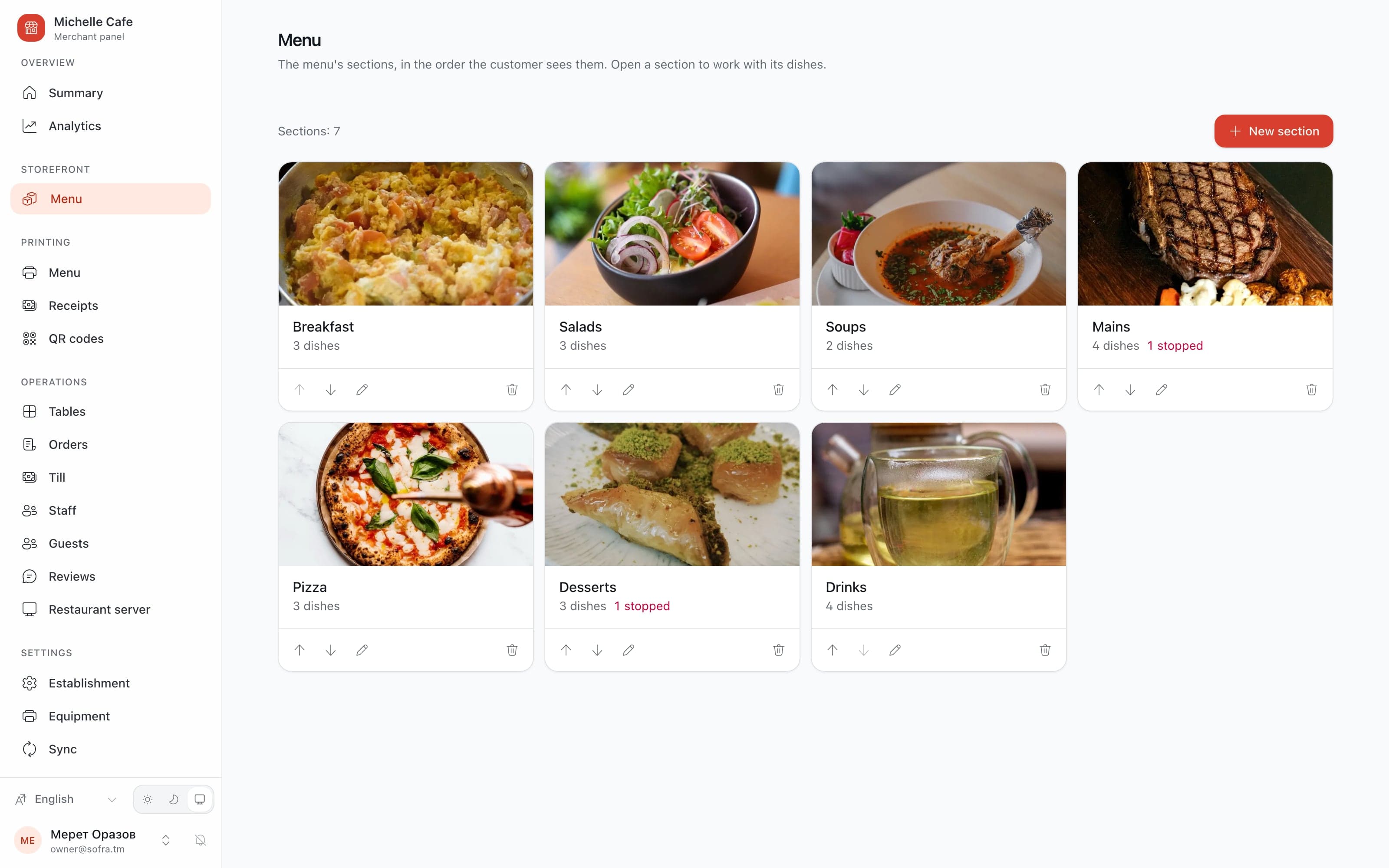
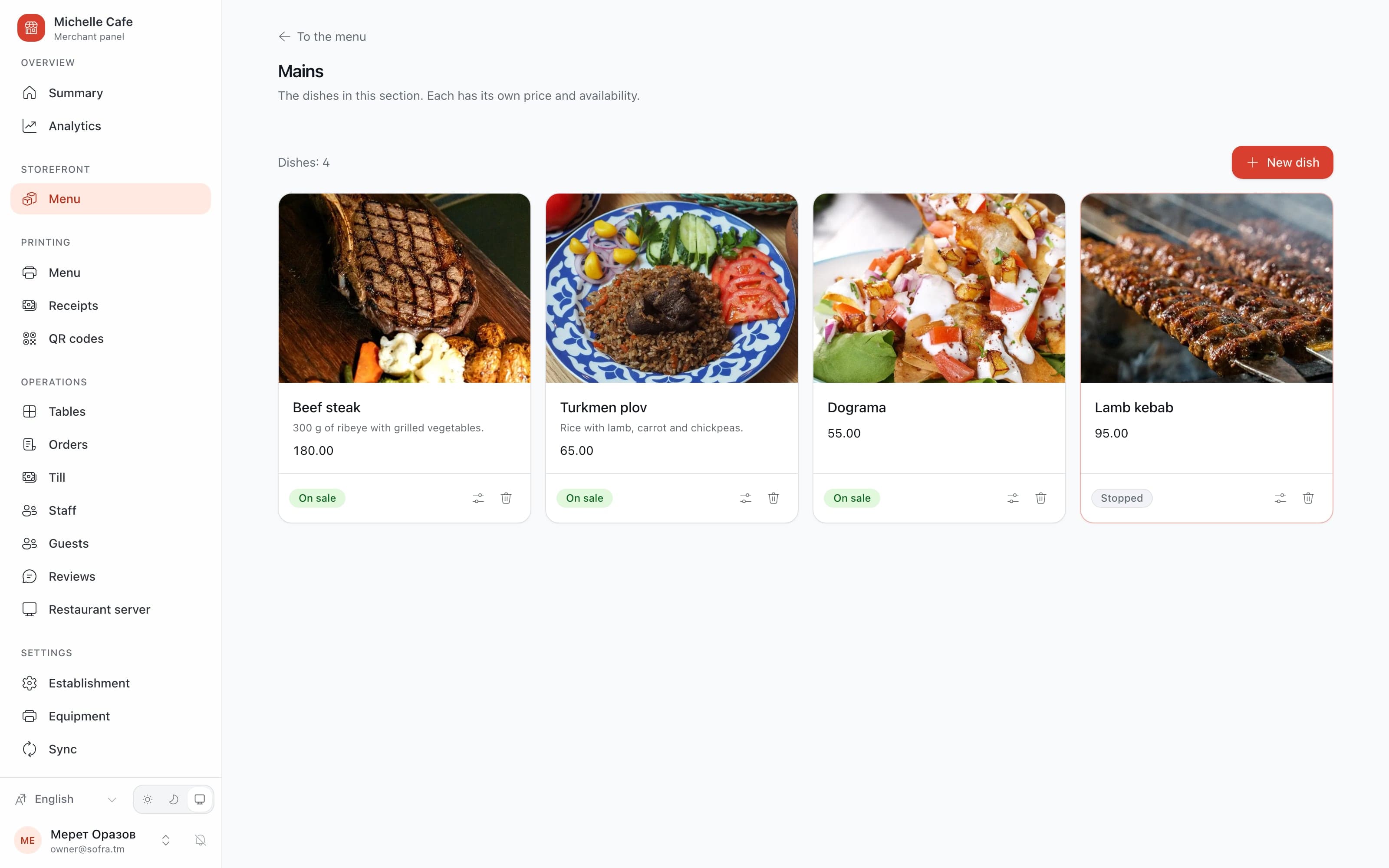
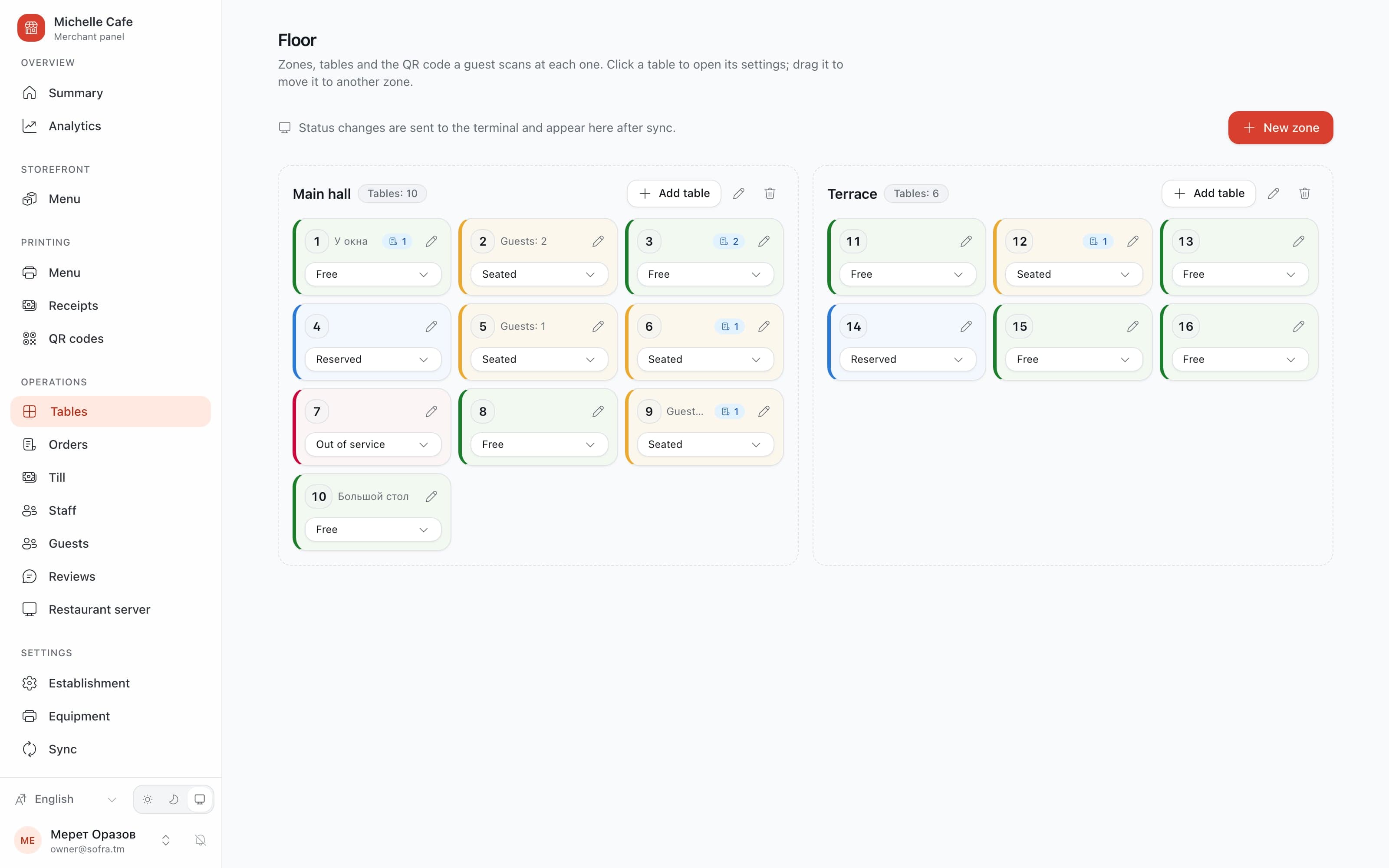
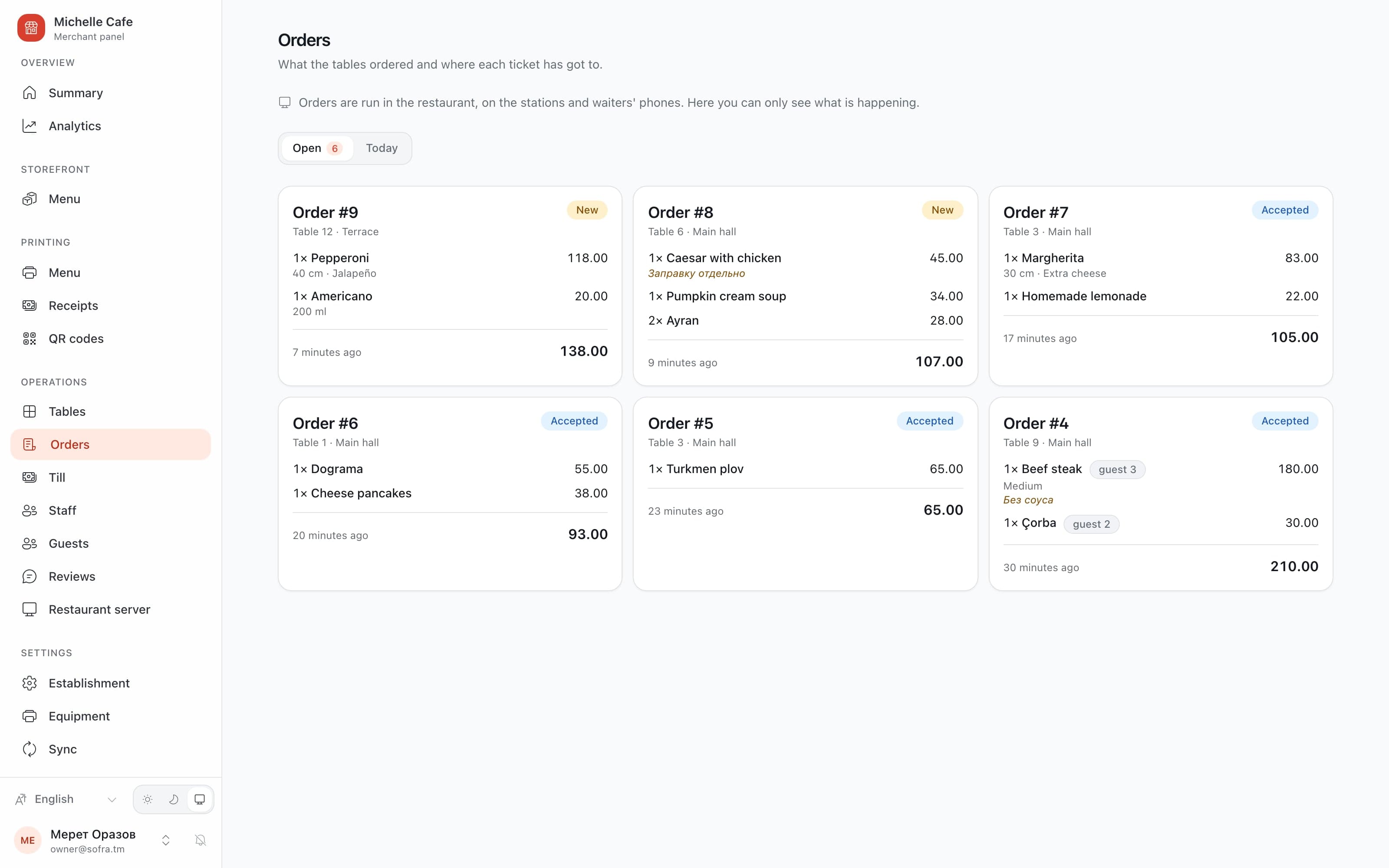
The panel opens in any browser: the menu with photos and a stop list, the floor with its QR codes, staff with a PIN and permissions each.
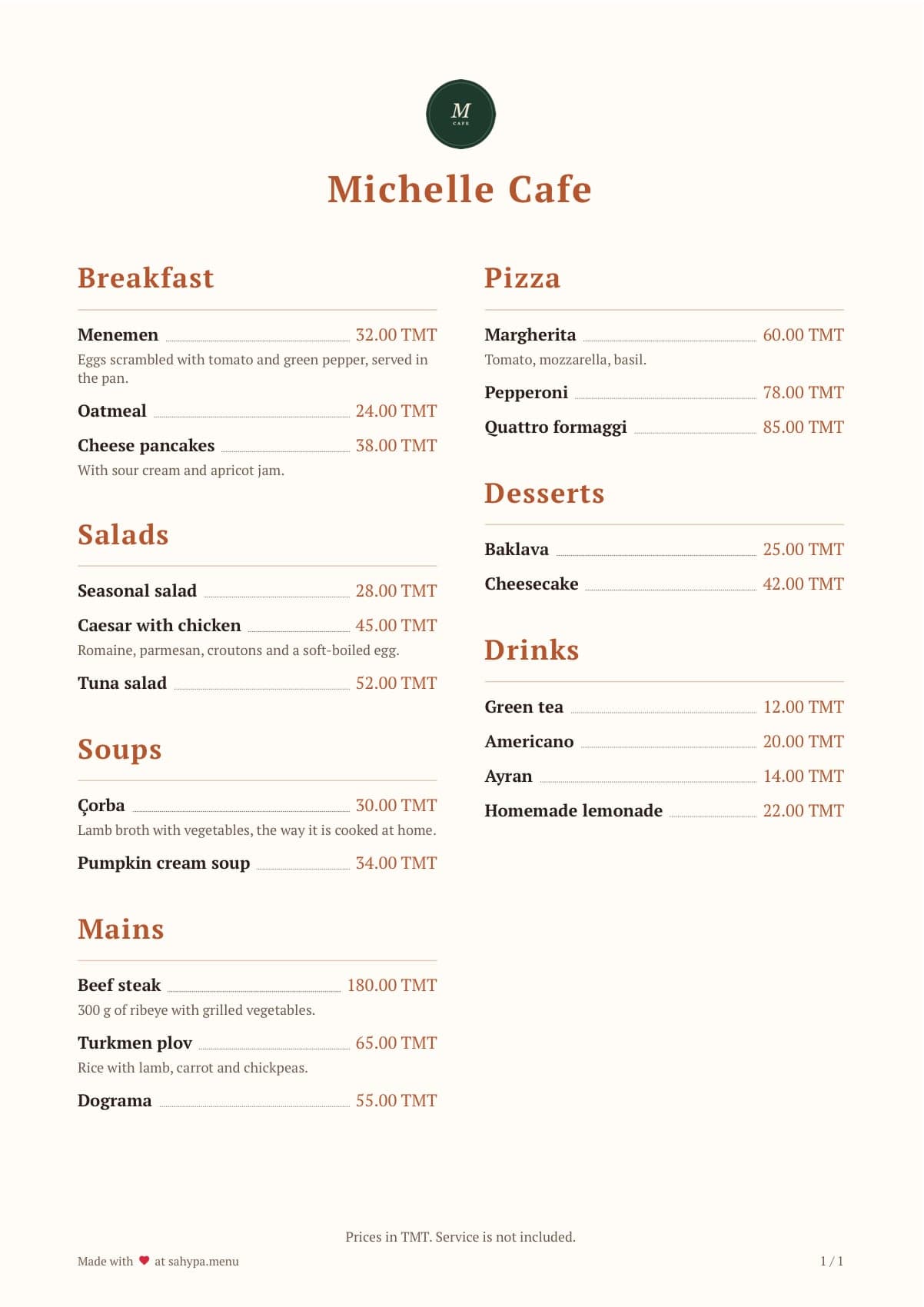
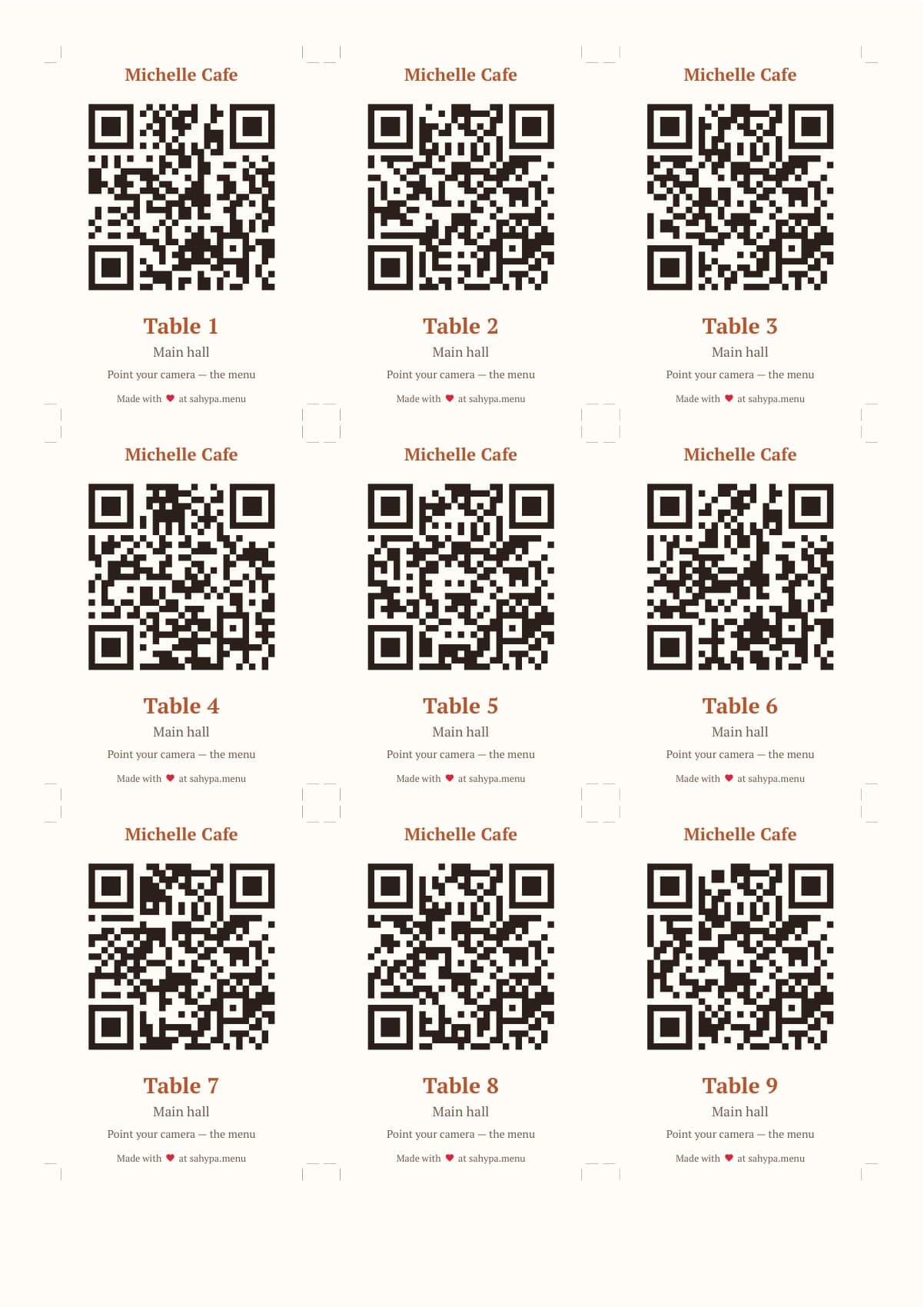
A paper menu in the restaurant’s own colours and fonts, A4 or A5, straight to PDF — and one sheet with every table’s code, to print, cut and stick. The code never changes.
Revenue, the average check, what sells and how staff perform, for any period, out to Excel. Reviews arrive here too, and get answered where the guest will read it.
Paper
Four slips, and none of them stops a shift
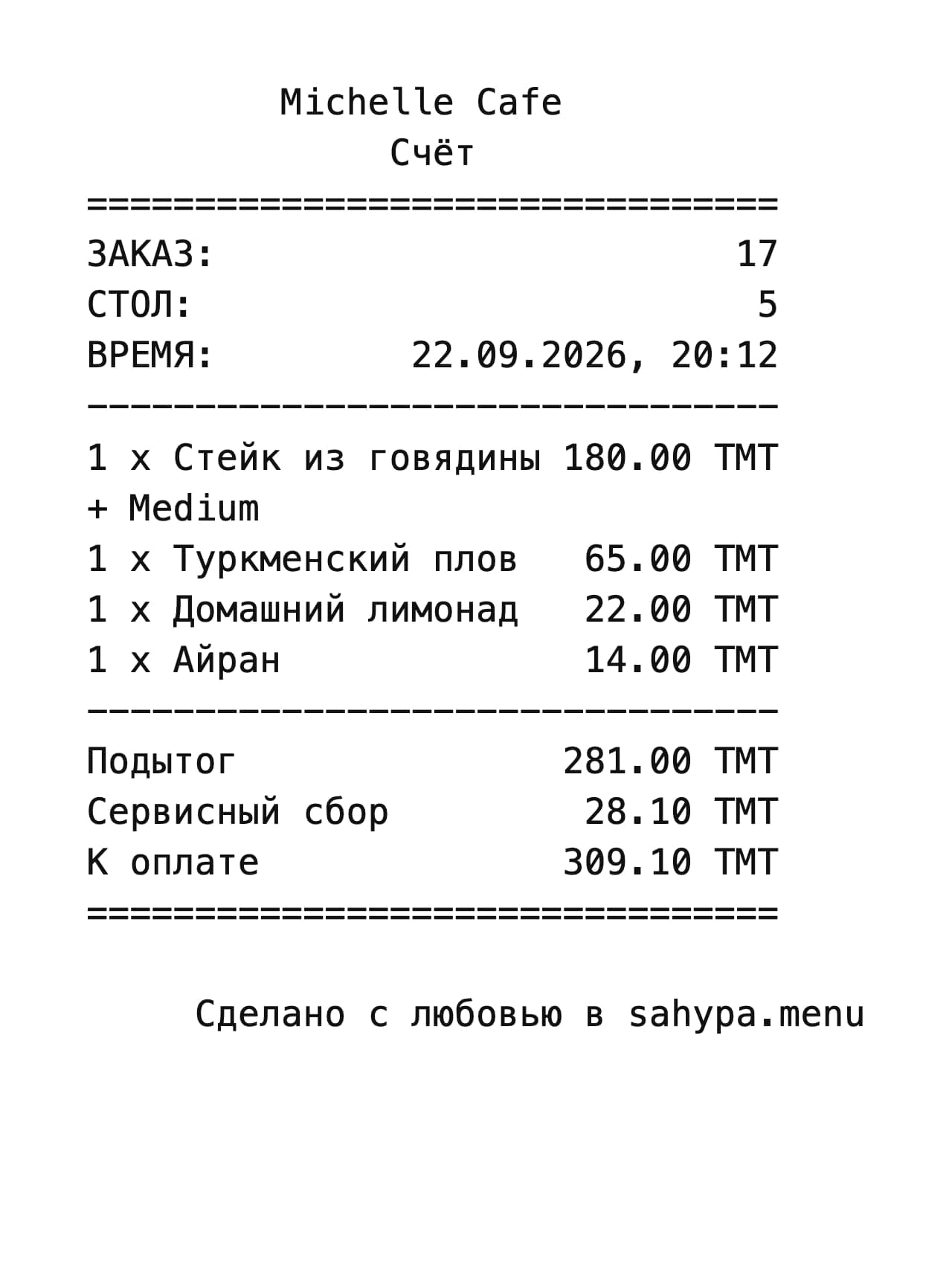
The kitchen ticket says what to cook and nothing about money. It prints when a waiter takes a round — or accepts one a guest sent — so it prints exactly once.
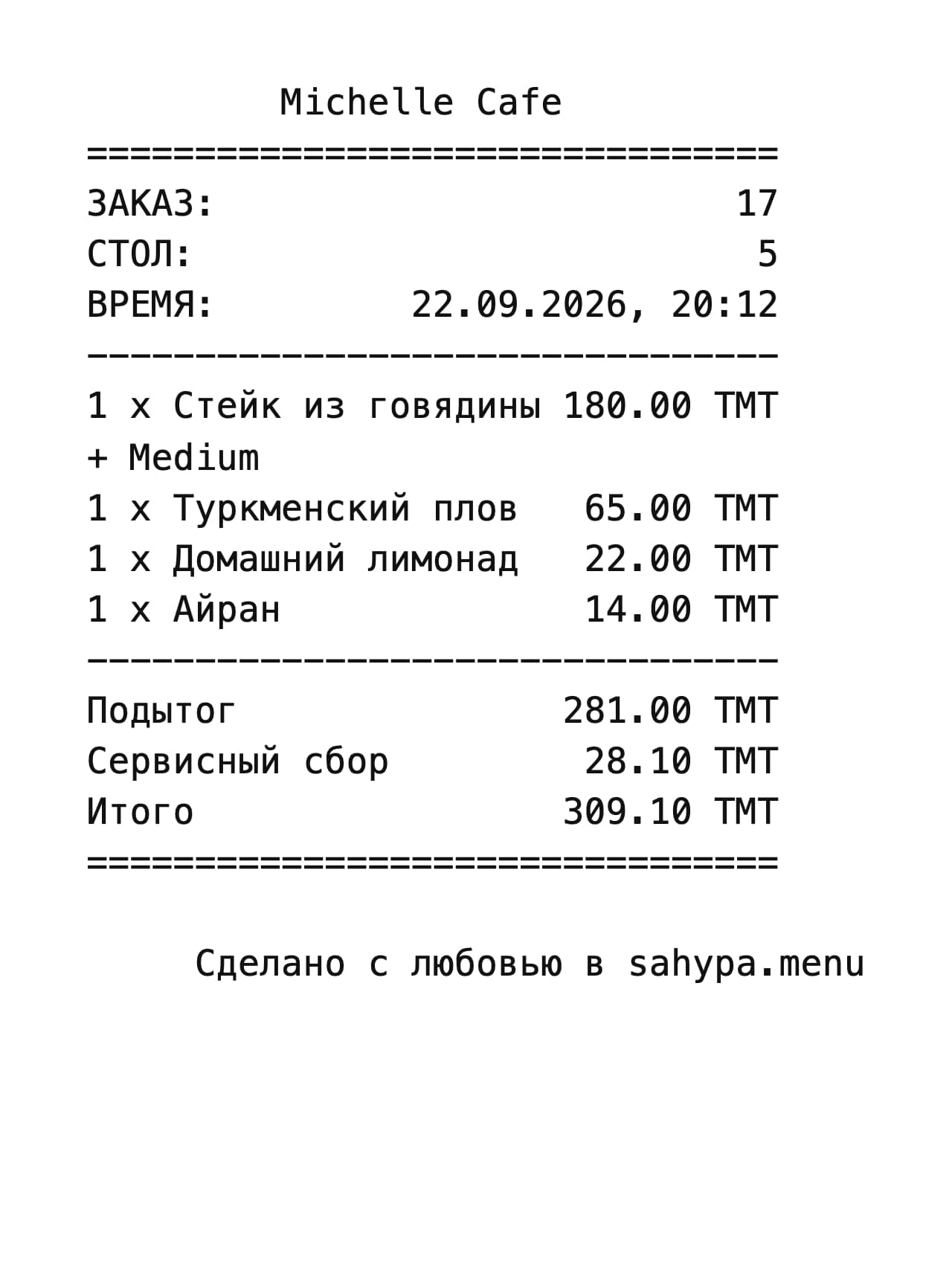
The table’s bill prints when a waiter presses for it, or when the guests ask for it from their phones — the cloud takes the tap, and the printer in the room answers by itself.
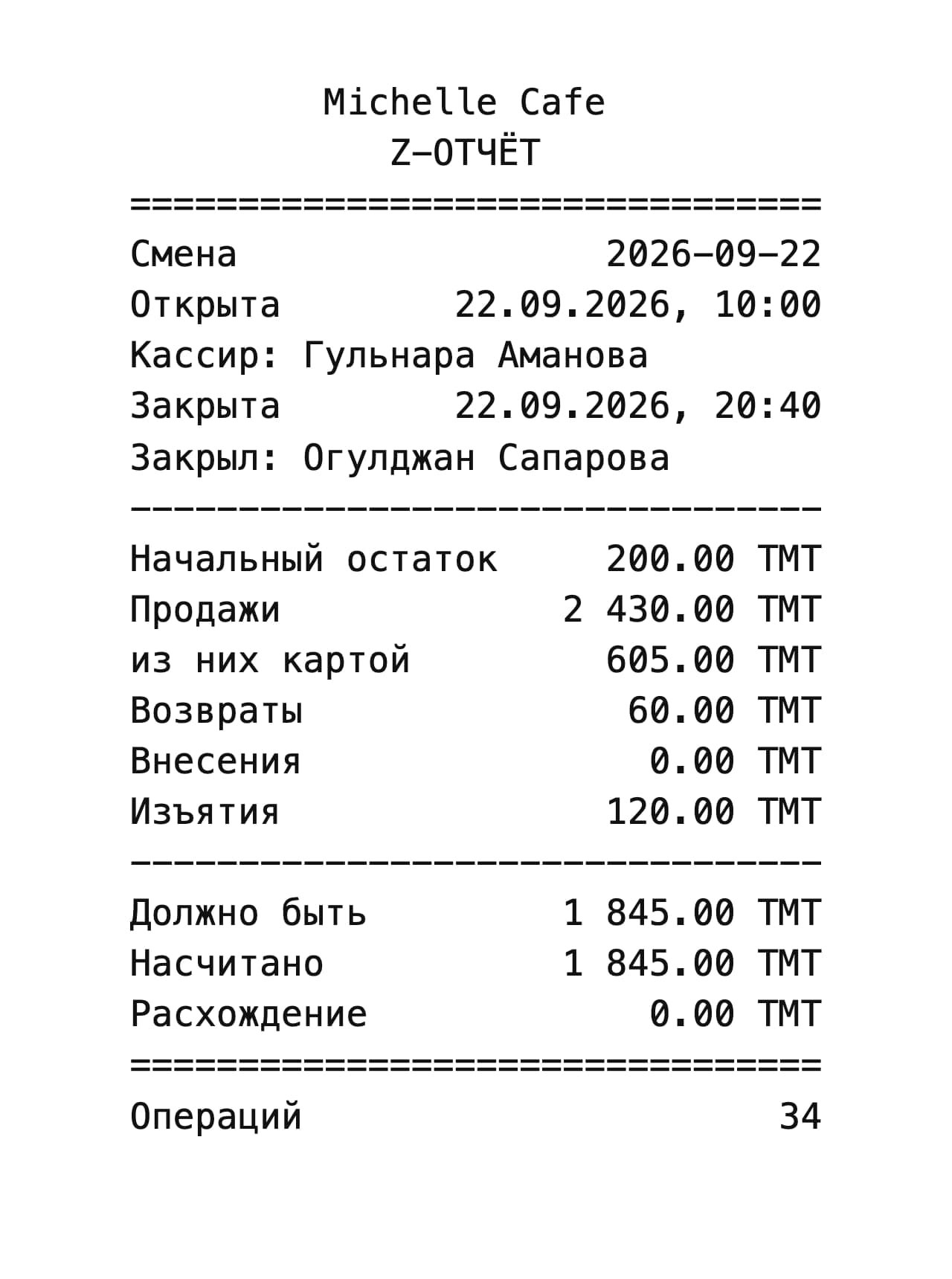
The receipt ends on the total, so a copy printed later reads like the first; the Z-report closes the drawer on a blind count. A printer that is off or out of paper never fails any of it.
Server
Internet’s down — the shift goes on
The restaurant runs its own copy of the system on the till’s computer — Postgres inside the app, nothing else installed. The orders, the tables, the till and the printing live there.
So the provider can drop and the floor does not notice: waiters, the till and the printers talk to the server in the room, not to the cloud.
When the line comes back, whatever piled up goes to the cloud by itself, in order. Nobody presses anything. Pull the cable below and see.
A drawing of the behaviour; the counts are the drawing’s own.
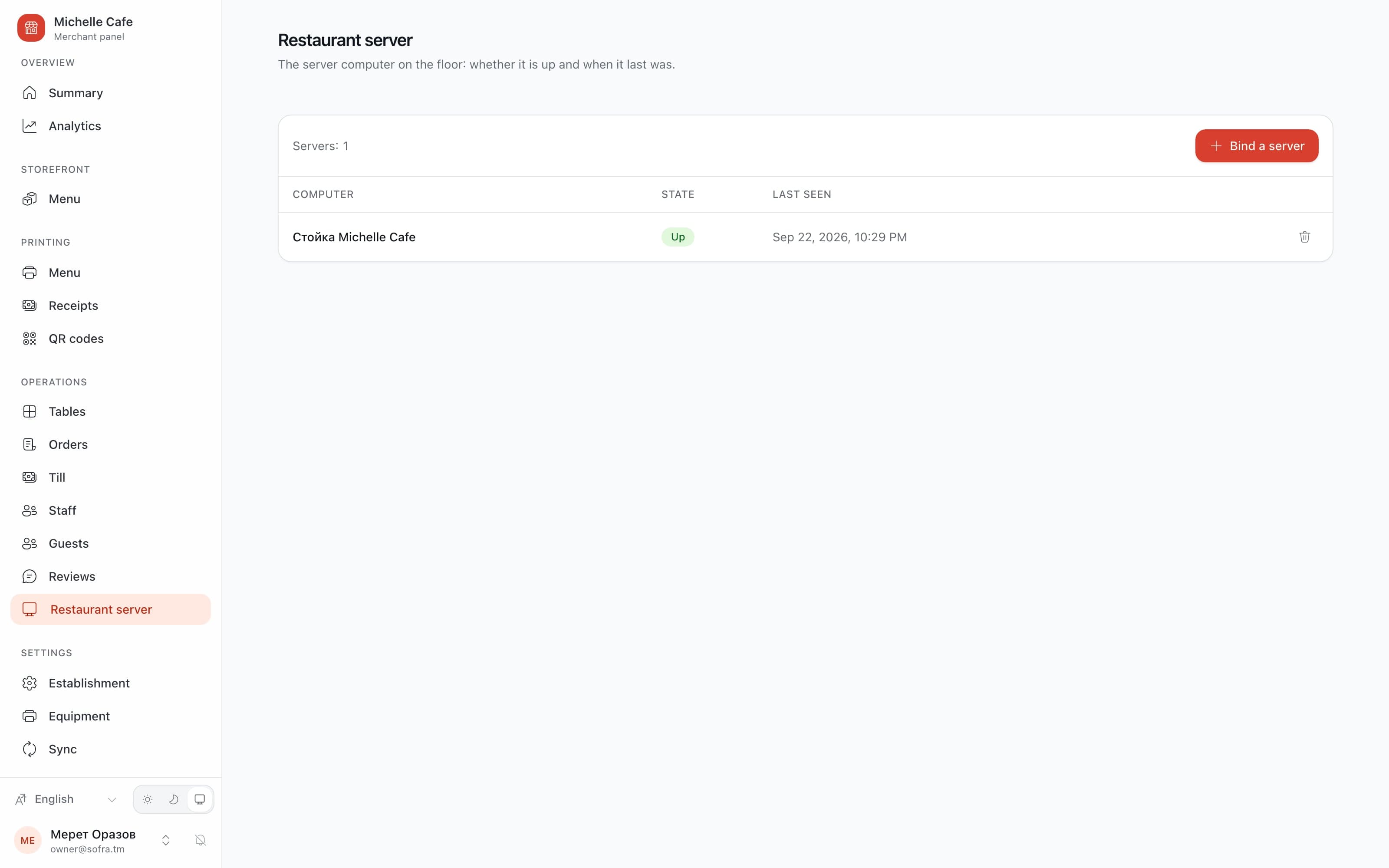
And the owner can see that it is up
The panel lists the restaurant’s own computer, whether it is up and when it last said so — the one page that answers “is the till talking to us?” without a phone call.
How it runs
Built for a restaurant to run alone
Four languages
Turkmen, Russian, English and Turkish on every screen — the guest’s, the waiter’s, the till and the panel. A dish’s own name is translated by the restaurant, and the guest’s phone picks it up.
People
Owner, manager, waiter and cashier, each with permissions of their own and a PIN for the floor. The till draws only the doors a job needs, and every door still checks on its own.
Updates
The restaurant’s computer checks for a new version every fifteen minutes and installs it only when the shift is closed. If the new one does not come up healthy, it rolls itself back.
Backups
Every six hours, checked for integrity, kept on the computer itself — so the restaurant’s own data does not depend on the line out of it either.
Paper
Kitchen tickets, receipts and the Z-report go to ordinary network thermal printers. A printer that is off or out of paper never fails an order, a payment or a closed shift.
The bill, asked for from the table
Guests press «ask for the bill» on their phones. The cloud takes the tap, the restaurant’s own machine decides from its own database whether anything has changed, and prints once — a second identical request prints nothing, and a jammed printer leaves the next one free to try.
Who owns what
There is no merge: every kind of record has one owner. The price of a dish is the cloud’s, having run out of it is the kitchen’s, and a ticket is born in the cloud when a guest scans and becomes the machine’s the moment the floor accepts it. A new kind of record does not compile until somebody has decided.
A code that outlives us
A table’s address is derived, not stored: six characters with no 0 or O, no 1 or l, drawn once for the restaurant and never changed. Printed codes outlive deployments, so nothing on the wall has to be reprinted.
The public page
Every restaurant on the system is in the directory at sahypa.menu, with its menu, hours and reviews — and a review can only come from a table somebody actually sat at.
0
products on one system, in one subscription
0
languages on every screen — Turkmen, Russian, English, Turkish
0
places in the public directory
What came out
Live at sahypa.menu — the menu, the directory and the panel in the cloud, the till and the server on the restaurant’s own computer
Five products in one subscription, with sahypa.delivery next on the same core
161 places already in the public directory, each with its menu, hours and reviews
NestJS · React 19 · Tauri 2 · PostgreSQL · PGlite · PWA
sahypa.menu